
Skip to content
logomark_hero_background

Maintain platform data like a spreadsheet

The business-first hub for data maintenance apps on enterprise data platforms. Stop exporting, start working directly where your data lives.

See NextTables in action
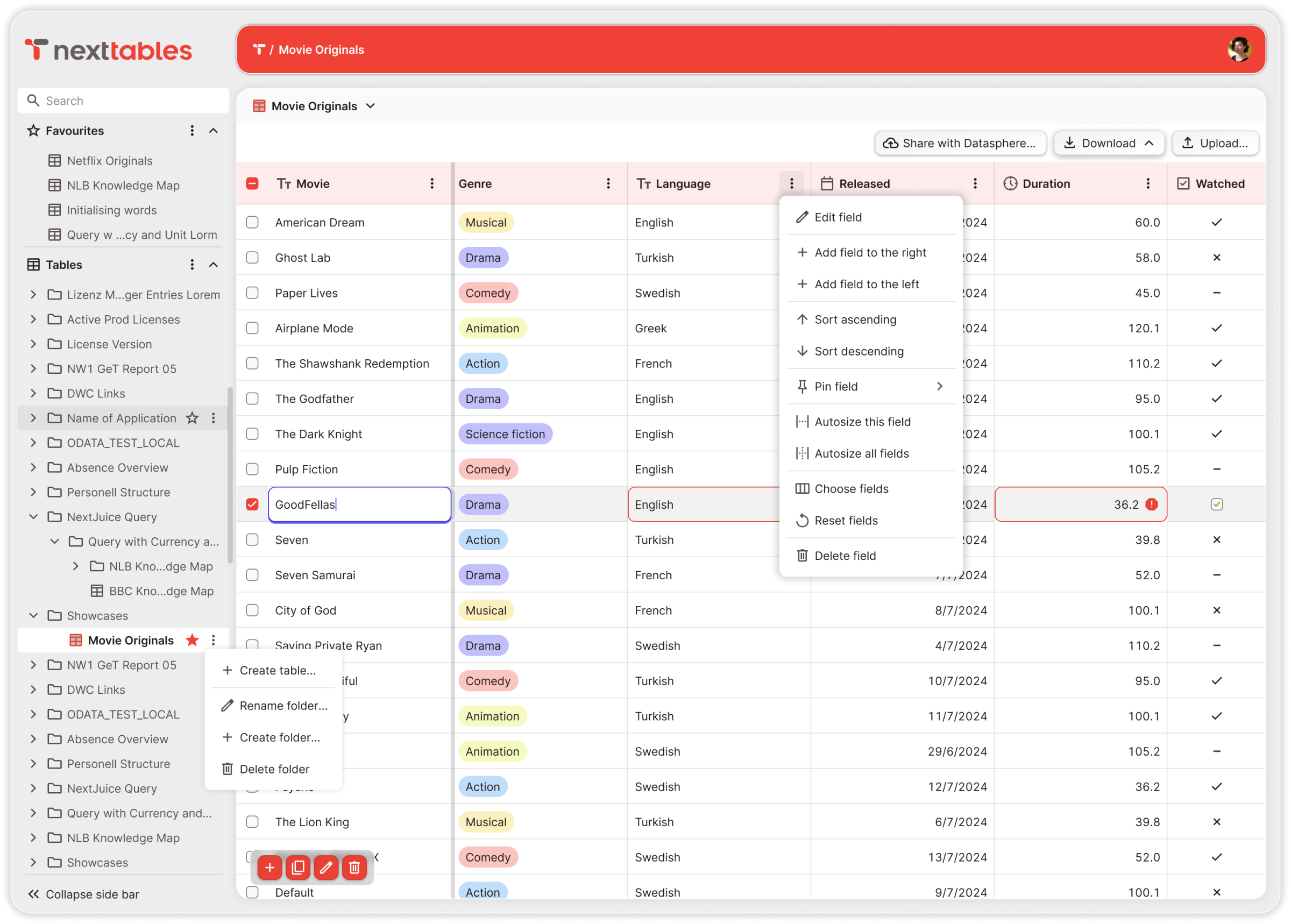
nt-in-action

Connects natively to your data platform. No middleware. No duplication

Purpose-built for data maintenance, across your entire stack.
NextTables reads from and writes directly to your enterprise data platform.
Your business data never leaves it.


sap-bdc-logo
Databricks_Logo
postgresql-logo

Built for multi-platform data architectures

One platform. Every team

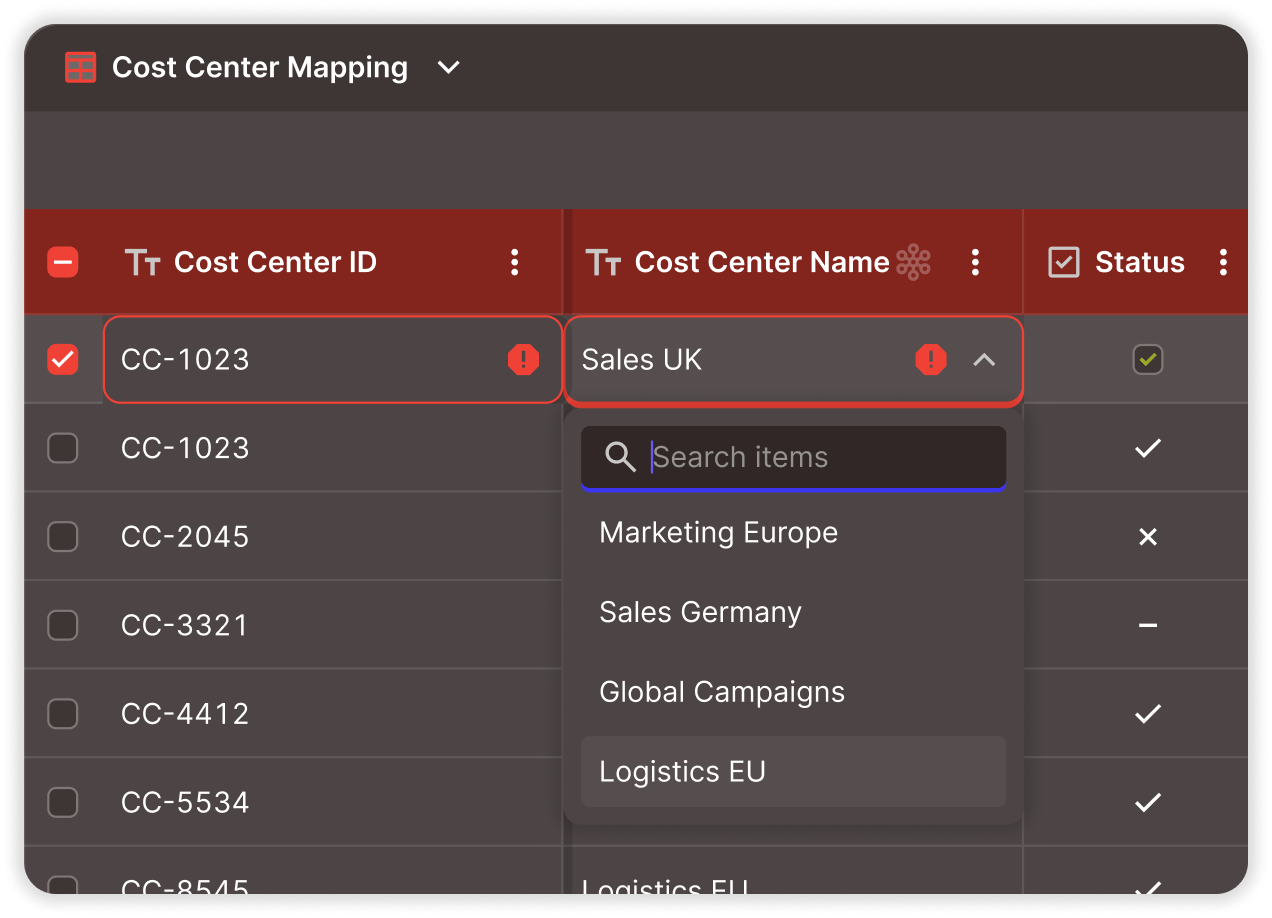
A cost centre mapping changes. Your controller searches, selects the right value from master data, and submits. It's checked before it's written — and live in every report before she closes the tab. No export. No email. No ticket.
finance-team

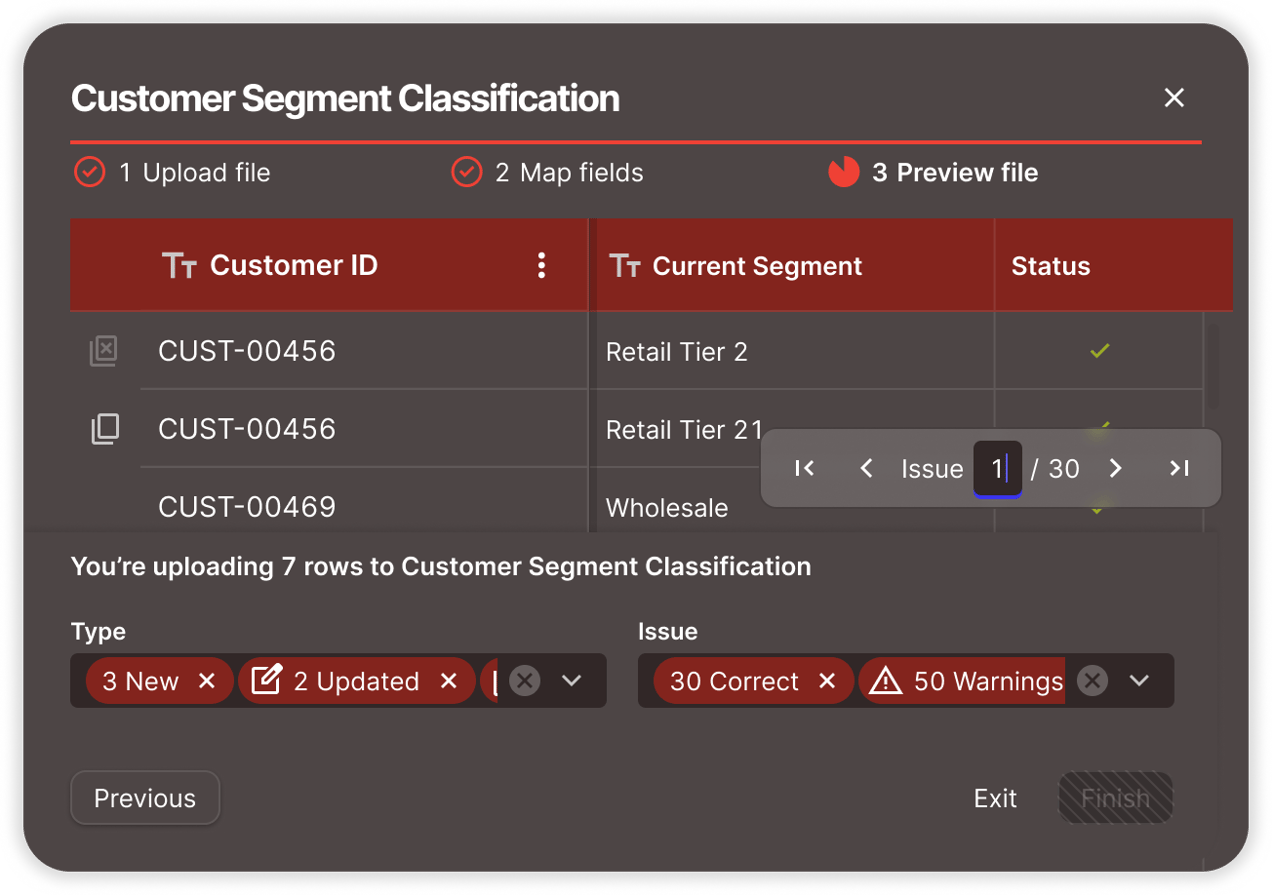
Your campaign taxonomy needs updating before quarter-end. The marketing analyst opens the grid, bulk-updates segment classifications, and they're live in every dashboard. No spreadsheet. No "which version is latest?" No reconciliation.
marketing-team


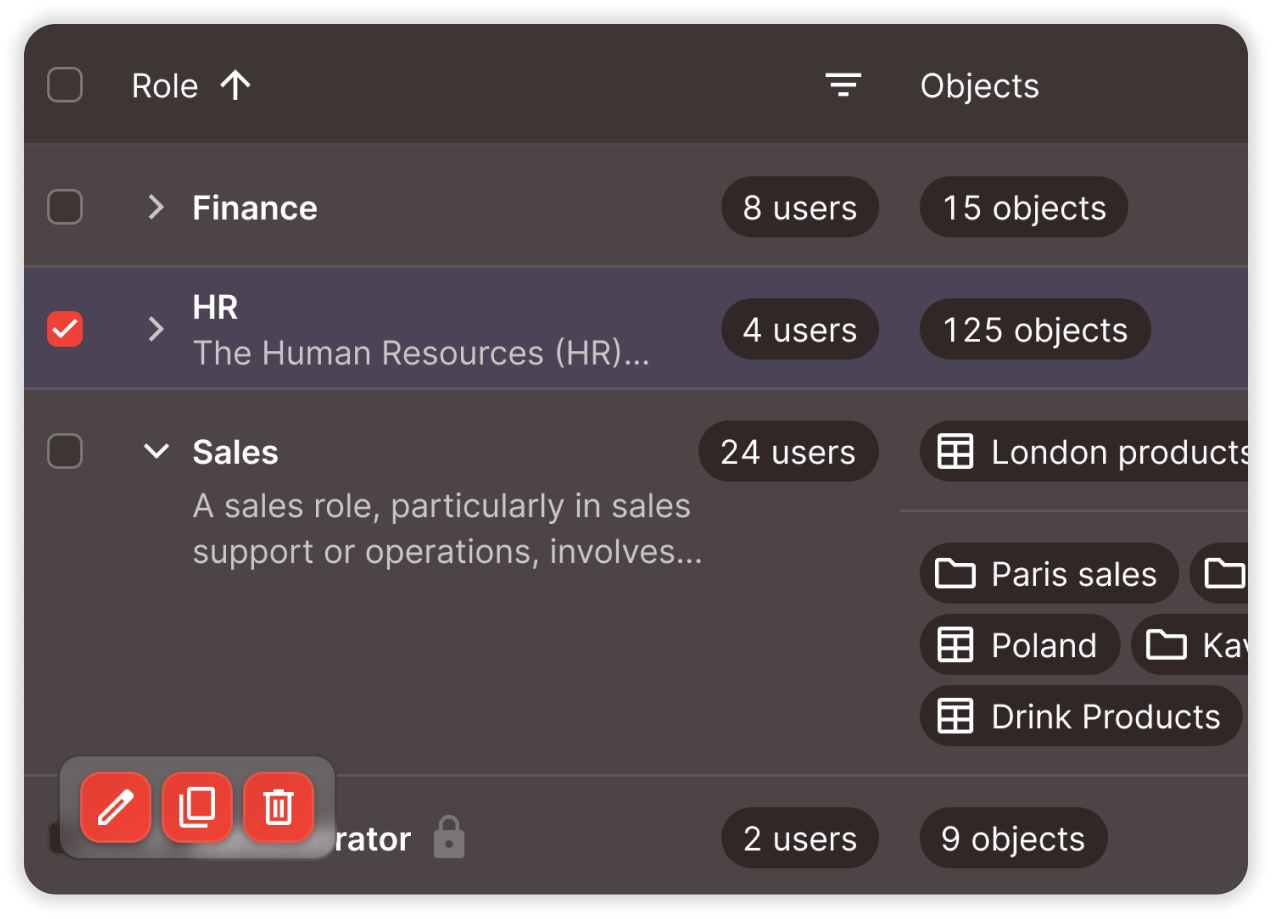
The org structure just changed. Your HR lead restructures reporting hierarchies and role mappings in one interface — checked and traceable. No IT ticket. No waiting. The change is live where it matters.
finance


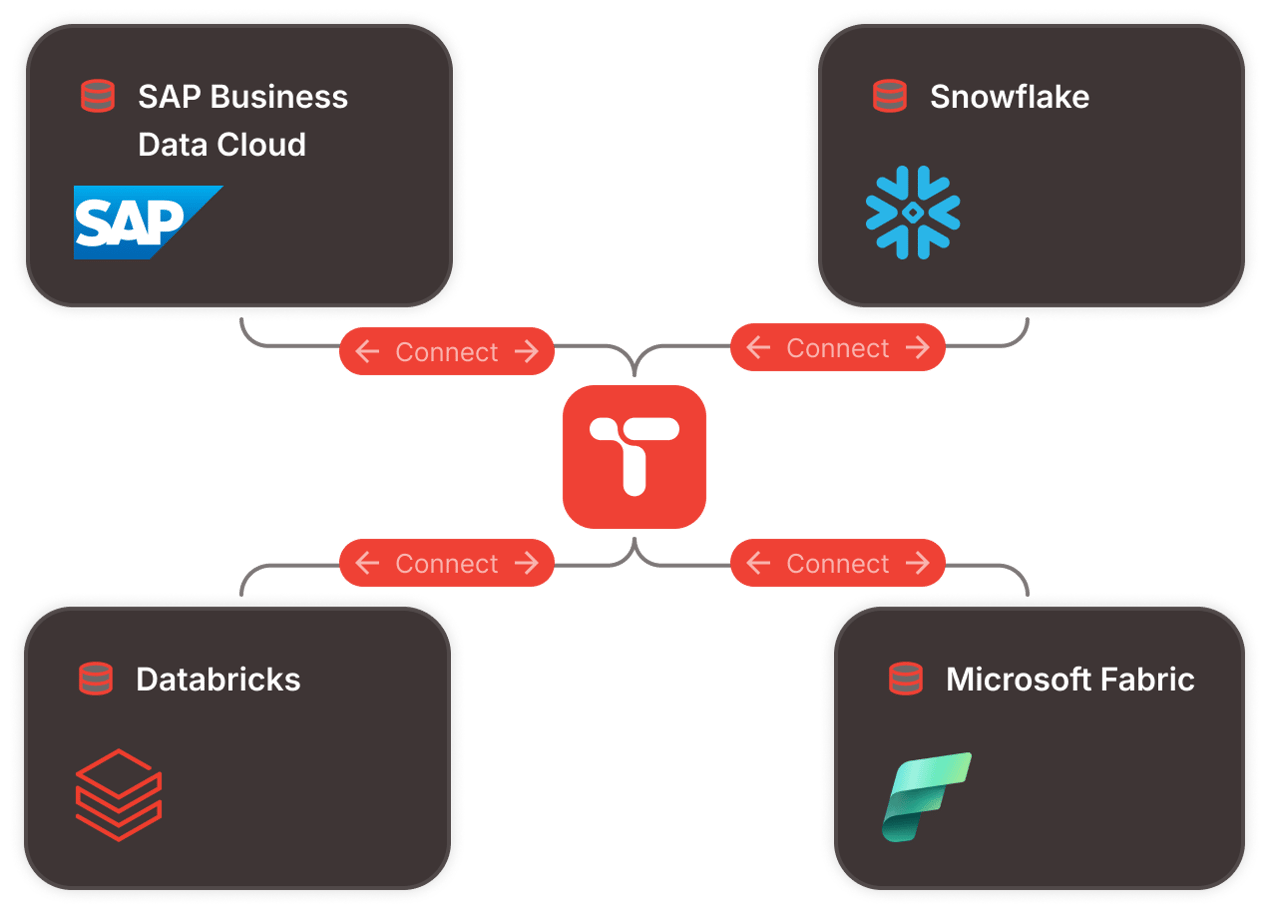
Your data platform is governed. The way business teams interact with it isn't — until now. NextTables connects directly to SAP Business Data Cloud, Databricks, Snowflake, or Microsoft Fabric. No shadow databases. No middleware.
dataanalytics-team


Familiar. Validated. AI-ready

business-teams

Built for business teams

Familiar, guided, ready to use

  • A familiar grid — filter, sort, copy/paste, bulk update. Works the way your team already thinks.
  • Smart search — select from validated master data values instead of guessing codes.
  • Embeddable in any BI dashboard — SAC, Power BI, Tableau, or standalone.
  • Enterprise SSO — one login, instant access, centrally managed.
validated

Validated, authorised, auditable

Every change earns its place in the platform

  • Checked before it's written — invalid data never reaches your platform.
  • Controlled by role — row-level access rules enforced structurally, at the platform boundary.
  • Your data stays put — one security perimeter, one source of truth.
  • Walk away any time — remove NextTables without migrating a single record.
ai-ready

Powering AI

Trusted data, intelligent assistance, agent-ready

  • Business-maintained context for AI — reference data and classifications maintained where AI operates.
  • AI-assisted app creation — evolving to generate validation logic and data apps faster. (coming soon)
  • Governed gateway for AI agents — designed to extend the same validated, authorised interaction model to machine-driven updates. (coming soon)

Trusted by enterprise data teams

dhl
vaillant
lanxess
Conti
gasag
dräger
roche
deutschepost
gstoyota
daimler-truck
schäfershop
vibracoustic
infineon
badenova
vitesco
infraserv
amdocs
kostal
essity
fraport

Enterprise-ready by design

key

Enterprise SSO
No platform accounts needed

rls

Row-level authorization
Roles and access rules enforced structurally

home

Data stays in your platform
Keeping your single-source-of-truth

lockin

No vendor lock-in
Remove NextTables without migrating data

Frequently asked questions

1. What is NextTables?

NextTables is a business-first platform for building data maintenance apps on enterprise data platforms. It enables teams to maintain the data that drives analytics and AI — reference mappings, classifications, hierarchies, and corrections — directly inside platforms like SAP Business Data Cloud (SAP Datasphere) and Databricks, with Snowflake and Microsoft Fabric on the roadmap.

Every change is validated at entry against enterprise master data, controlled through role-based access. Business data never leaves the enterprise data platform — no shadow databases, no middleware, no new security perimeter.

2. How much does NextTables cost? NextTables offers a free 30-day trial — no credit card required. Paid plans are based on the amount of users and tables. Contact us for a personalized quote or start your free trial to explore the full product on your own data platform.
3. Which data platforms does NextTables connect to?

NextTables connects natively to:

  • SAP Business Data Cloud (Datasphere)
  • Databricks
  • PostgreSQL
  • Snowflake — on the roadmap
  • Microsoft Fabric — on the roadmap

NextTables reads from and writes directly to the enterprise data platform — no middleware, no staging database, no data duplication.

For organizations running multiple platforms, NextTables supports cross-platform data maintenance.

4. Who uses NextTables?

NextTables is used by any team that maintains data on an enterprise data platform:

  • Finance — cost centre mappings, chart of accounts corrections, allocation rules
  • Marketing & Sales — customer segment classifications, campaign taxonomies
  • HR & Operations — org hierarchies, role mappings, employee classifications
  • Data & Analytics — reference data maintenance, cross-platform configurations, data app creation

Business teams work through a familiar grid interface with smart search and validation built in. Data and IT teams set up data apps, define validation rules, and assign access — without building custom applications.

For organizations running multiple platforms, NextTables supports cross-platform data maintenance.

5. How is NextTables different from spreadsheets, PowerApps, or BI write-back tools?

vs. Spreadsheets:

Spreadsheets destroy governance. Data is exported, edited offline, versioned in email, and often not re-uploaded. NextTables eliminates this pattern — business teams work directly on the platform with validation at entry and role-based access.

vs. PowerApps, SAP Build, Retool:

General-purpose app builders target any kind of application. NextTables is purpose-built for one: data maintenance apps for enterprise data platforms. It validates against enterprise master data and writes directly to the platform out of the box — no custom per use-case development required.

vs. BI write-back tools:

BI write-back extensions are locked to one BI vendor and often write to a sidecar database. NextTables is BI-agnostic, writes directly to the enterprise data platform, and enforces the same governance model regardless of where it's embedded.

6. How does NextTables handle security and data residency?
  • Enterprise SSO — users authenticate with existing company credentials. No platform accounts needed.
  • Row-level authorization — access rules enforced structurally, driven by control tables that define which user may access which rows.
  • Validation at entry — invalid data cannot be written to the platform.
  • Dedicated tenant isolation — each customer runs in an isolated environment, deployed in their region.
  • No vendor lock-in — remove NextTables at any time without migrating a single record.
7. Does NextTables store my data?

No. NextTables stores only configuration metadata — the definitions of your data apps, validation rules, and access roles. All business data remains exclusively in your enterprise data platform.

There are no shadow databases, no copies or caches, and no new security perimeters. If you remove NextTables, your data stays exactly where it is. Nothing to migrate, nothing to export.

8. Can I use NextTables inside my BI dashboard?

Yes. NextTables data apps embed directly into any BI dashboard that supports web objects — including SAP Analytics Cloud, Power BI, and Tableau.

Business teams maintain data in the same context where they consume reports. No switching tools, no exporting. The governance model does not change based on the hosting BI tool.


demo-cta-background

See what it looks like on your stack

Book a personalised demo, or try it yourself free for 30 days.