Skip to content

Every change validated, authorized and auditable, inside your data platform

Every entry is checked against your master data before it is written, access is decided by roles down to the row, and every change is on the record in your own platform. Business data stays where it is. NextTables keeps configuration only.

Validated before it is written

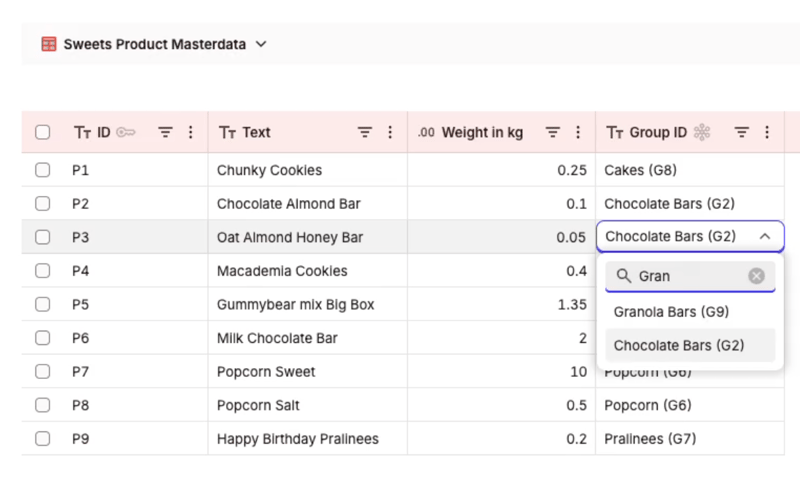
Each app validates entries against the enterprise master data tables it is connected to, so values are checked against your source of truth ahead of the write. Errors surface immediately to the person who can fix them, and only validated data reaches the platform. The master data can live in the same platform as the table or in another one NextTables is connected to, for example HR reference data in SAP Business Data Cloud validating classifications written to Databricks.

One rule, every channel

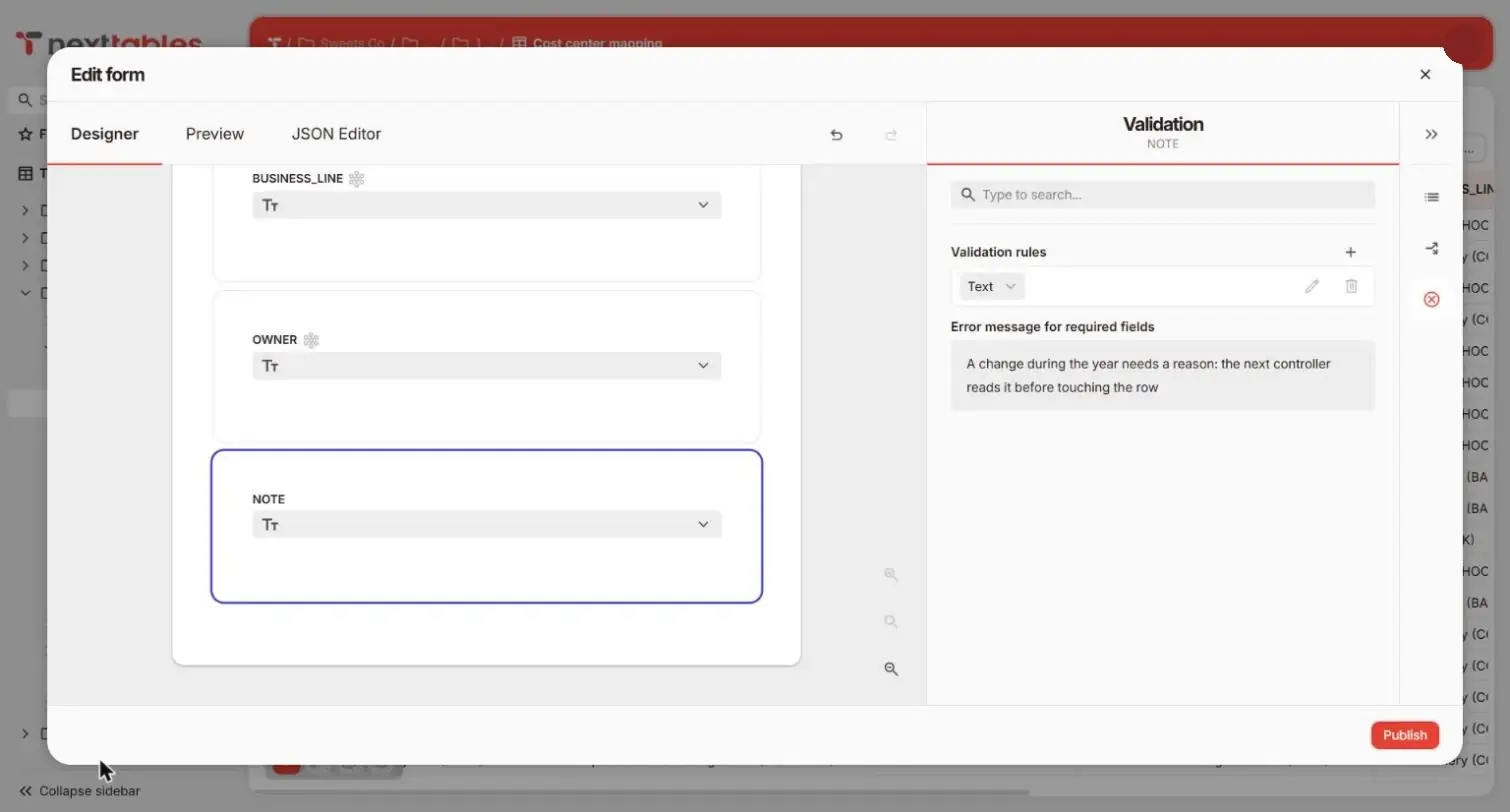
A rule is configured once and enforced wherever data is written: the form, inline editing in the grid, file imports and API writes, with the same message in each. Rules range from length and range checks to patterns and cross-field expressions, and each one either blocks the save or warns, at the configurator's choice.

A NextTables form refusing a region that contradicts the controlling area, with the rule's message at the field

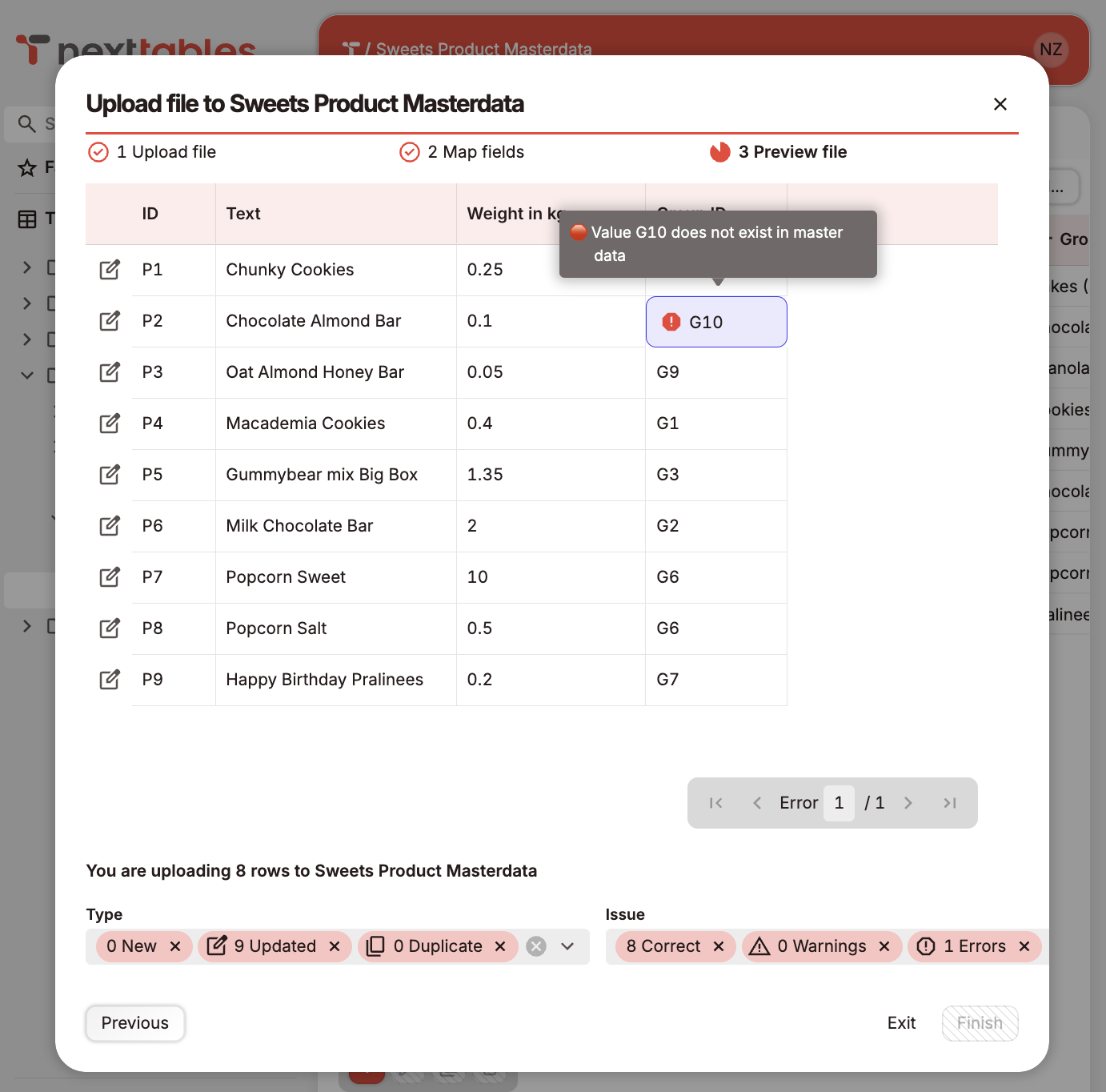
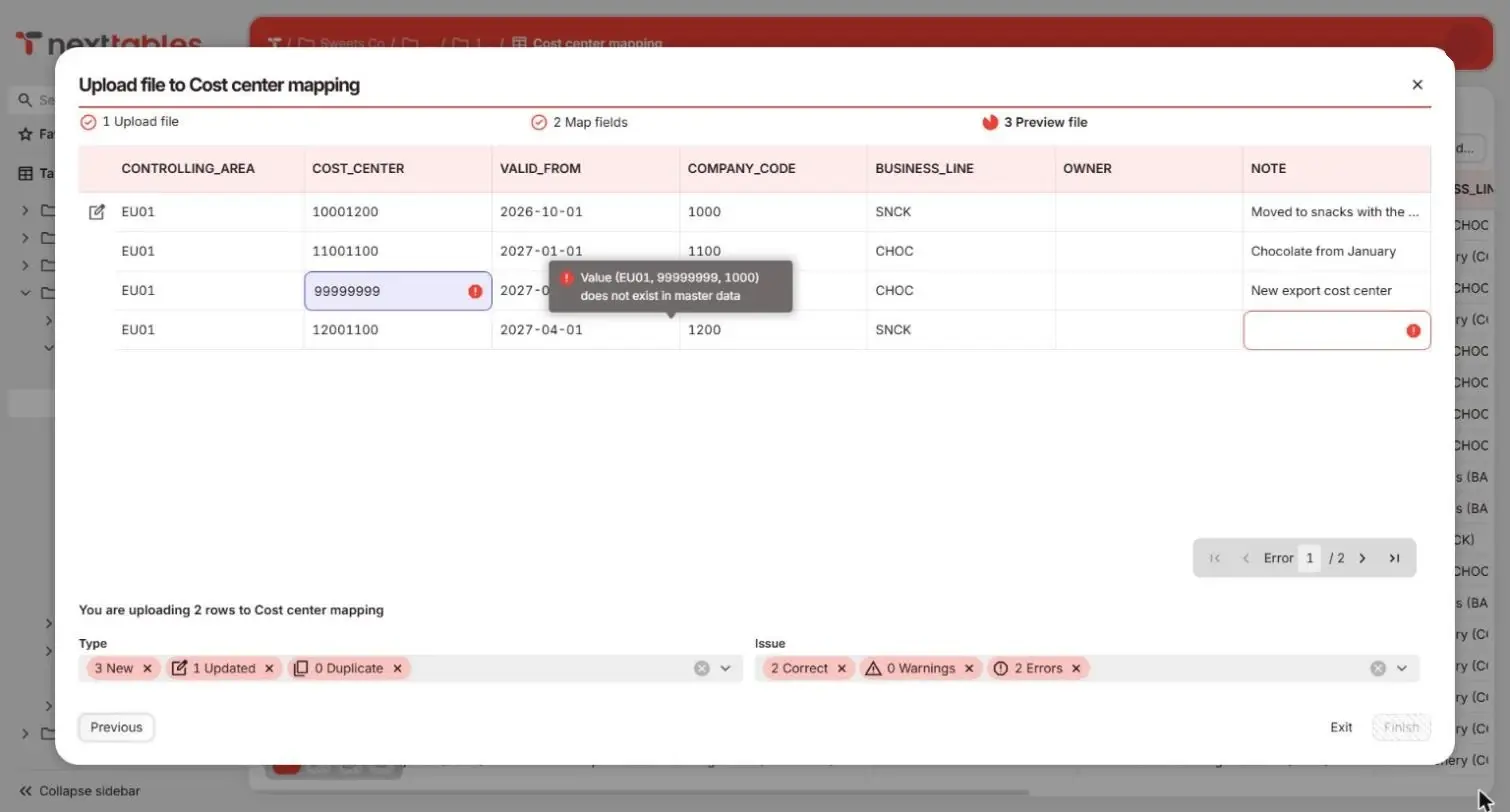
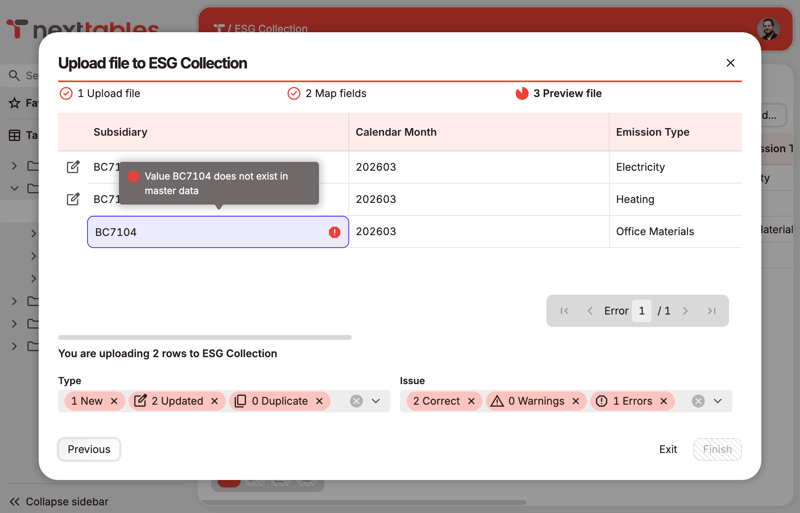
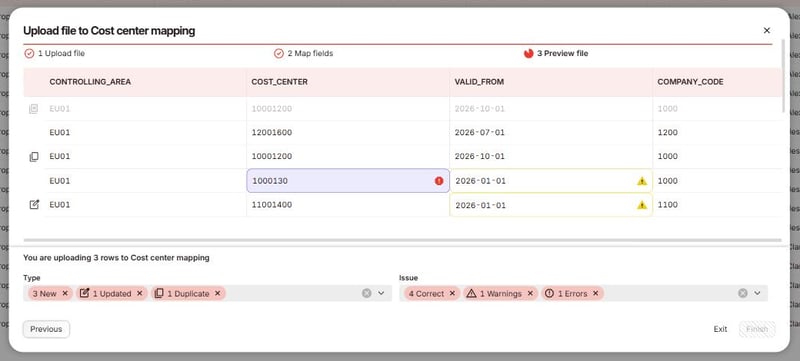
Upload validation in NextTables listing rejected rows and their reasons

Uploads are checked row by row

A file goes through the same rules as a keyed entry. Keys match existing records, duplicates inside the file are flagged, and every rejected row is listed with its reason before anything is written. Excel stays a way in, and every row it brings is validated before it lands.

Four layers decide who may change what

Authorization in NextTables is layered, so a broad grant on one layer can be narrowed on another. Each layer is independent and they combine. Roles cover two things separately: maintaining data, and creating the objects that hold it.

Roles: what a person may do, and where

A role is granted on a folder and inherited by its subfolders, with read, write, create, approve and delete rights. Most tenants need three archetypes: reader, editor for the people who maintain data every day, and key user for the smaller group who may also create and change tables.

Row-level security: which rows, for which person

A row-level security object matches the signed-in user against a control table and decides which rows they may read and, separately, which they may write. The control table can be one you already maintain in the platform, read through the connection, or one maintained in NextTables by the people accountable for it.

Folders, the security backbone

Folders mirror your data domains, for example finance, HR and supply chain, and they are the inheritance boundary for everything above them. Restricted areas sit as subfolders inside a domain. Many customers use top-level folders as environment roots for development, test and production.

Connection scoping

A connection to a sensitive source is mapped to the folders allowed to build on it, so an application in a marketing folder stays out of the HR schema whatever its roles say. Master data objects built on a connection inherit that scope. Widening a scope is itself a site-level permission.

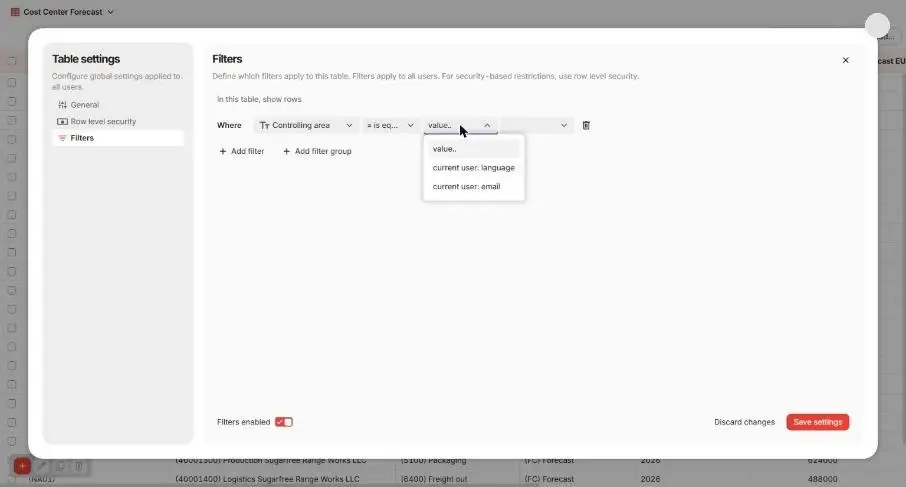
Row-level rules apply at the field

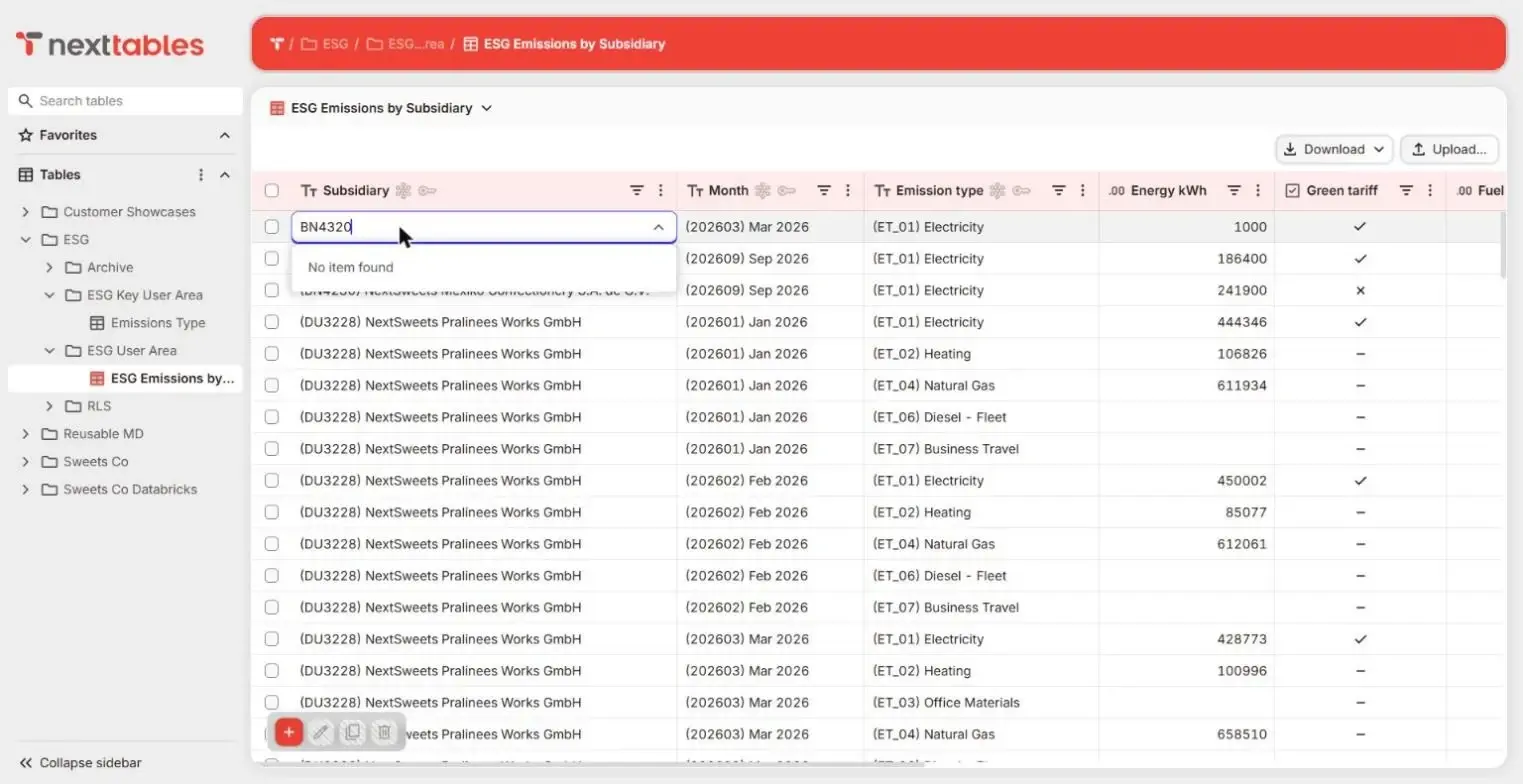
A person who enters a value outside their rows is told at the field, before anything is written. The same rule applies in the grid, in a form, by upload and through the API, and read and write access are decided separately.
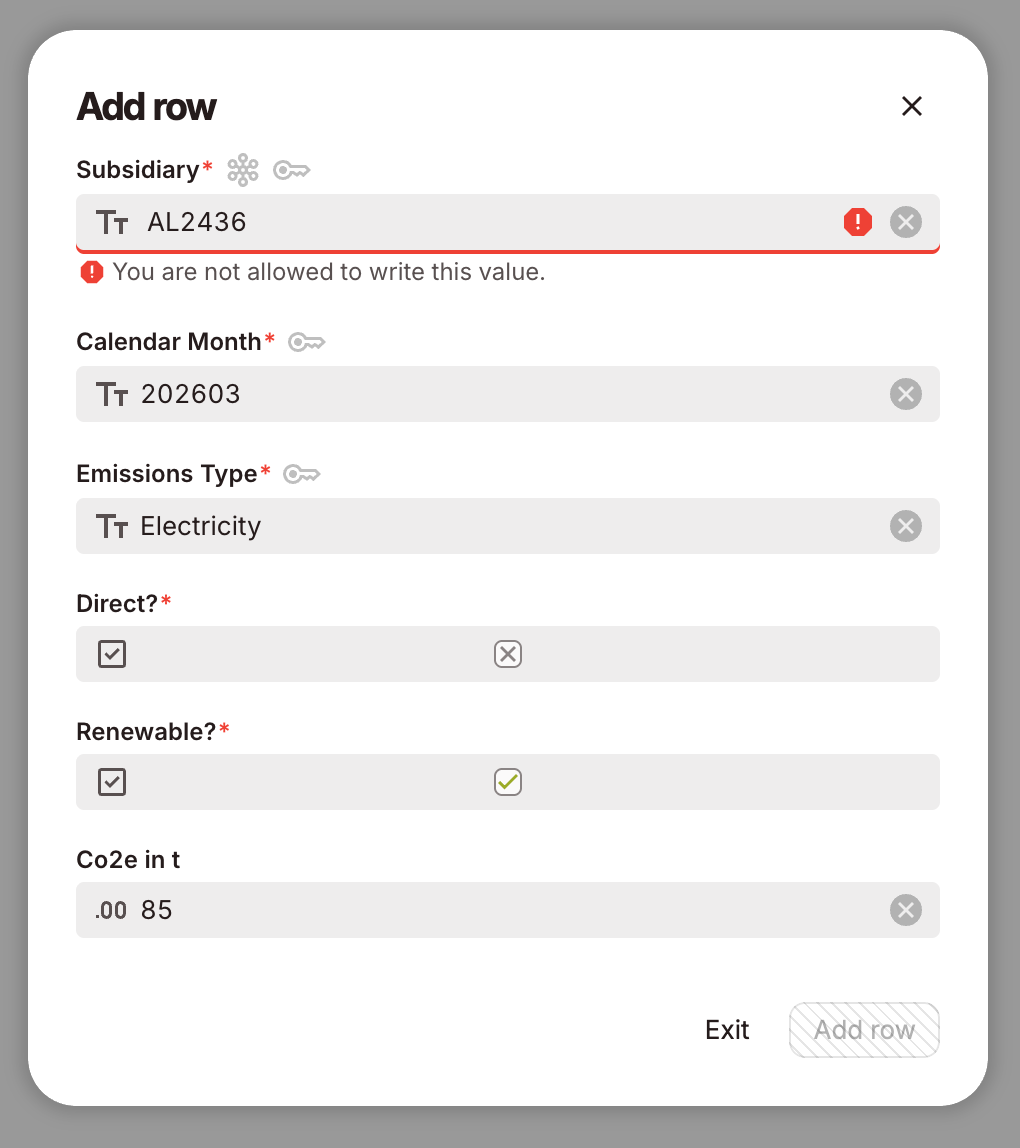
The Add row dialog in NextTables refusing a subsidiary outside the user's rows, with the message at the field

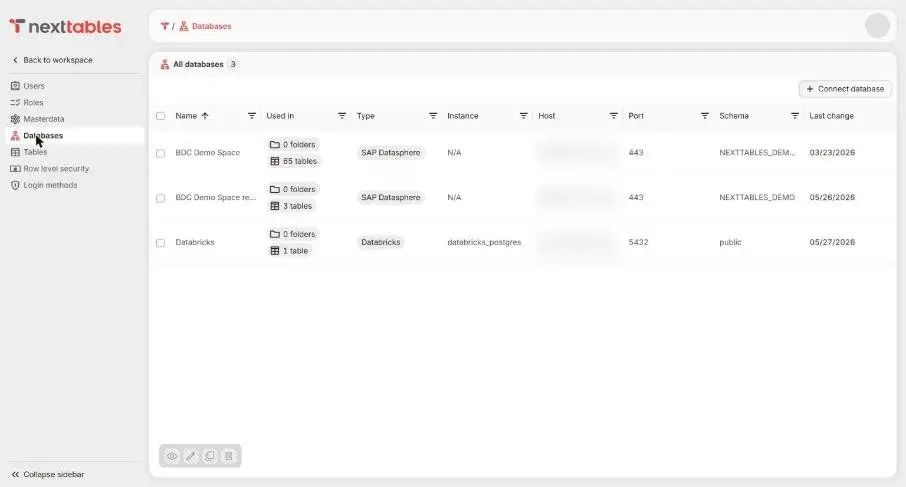
The login methods page in NextTables with Microsoft and Google identity providers enabled

Sign-in through your identity provider

People sign in through your identity provider, Microsoft Entra ID or Google Workspace, and are authorized inside NextTables. The platform is reached through one technical connection user per schema, so maintenance-only users stay outside the platform's user management and licensing.

How the layers land on each platform: SAP Business Data Cloud (one Open SQL schema per space) and Databricks (one login role per Lakebase schema).

Every change on the record

Every change made through NextTables is captured in an audit log, on by default: who, what, old and new values, and when, for data changes and for structural changes such as a new column. The log is a regular table inside your own platform, so it stays within your security and retention boundaries and can be queried with the tools you already have.
  1. A change is made

    It happens in the grid, in a form, by upload or through the API, by a signed-in person under their role.

  2. It is validated

    It is checked against your master data and your rules. Invalid values stop at the field, so only validated values reach the log and the platform.

  3. It is written

    It goes into your platform through the connection your administrator scoped, and only there.

  4. It is recorded

    The audit log row lands next to the data: user, timestamp, action, old and new values.

Full audit trail

Coming Soon

The change history of a row, in the product interface, built on the same audit log that is on the record today.

Approval workflows

Coming Soon

For sensitive updates, edits are proposed, reviewed, and only then written, for people and for agent-driven changes alike. The decision becomes part of the record.

Safe rollback

Coming Soon

Any change can be reverted to its previous value by an authorized user, with the rollback itself recorded alongside the original change.

Your business data stays in your platform

NextTables stores configuration metadata only: applications, validation rules, roles and connection parameters. Business data passes through during reads and writes and remains exclusively on your enterprise data platform, so your platform holds the only copy.

One storage location

The tables, the views and every row live in SAP Business Data Cloud, Databricks or PostgreSQL. Reporting reads them the way it does today.

Live connections, in real time

Reads and writes go through the platform's own interface in real time. A maintained value is available in every dashboard at once.

A clean exit

Switch the connection off and the schema, the tables, the views and the data are exactly as they were. Your configuration can travel with you too, through the same export used for promotion. Coming Soon

Security and data residency

The facts a security review asks for, stated once. The platform-specific connectivity facts are on the platform pages.
ConcernHow it is handled
HostingNextTables runs as a managed SaaS application on Microsoft Azure, Western Europe, with a dedicated metadata database per tenant. Additional hosting regions follow for specific data residency requirements. Coming Soon
EncryptionEncryption at rest and in transit for every tenant.
Backups and recoveryAutomated backups and disaster recovery for the tenant's configuration; your business data stays inside your platform.
IdentitySign-in through your identity provider: Microsoft Entra ID and Google Workspace today. Leaving the company removes the sign-in.
Data processingA published privacy policy and a GDPR Article 28 data processing agreement.
Platform accessOne technical connection user per schema, scoped to that schema, with the IP address shown in the connection dialog for your allowlist. Rotating a password is one value in one field.
Support and releasesAn enterprise support model with one named path for your team, and a monthly release cycle, 30-plus releases and counting.

Frequently asked questions

1. Where are validation rules defined and executed?

In NextTables, per application, against the master data tables the app is connected to. Every rule runs at the point of entry, ahead of the write, on every channel that writes data.

2. Can we reuse the access tables we already maintain in the platform?

Yes. A row-level security object can read a control table in your platform through the connection, so one source of truth serves the platform's own access controls and NextTables alike.

3. Where is the audit log stored, and can we query it?

Inside your enterprise data platform, as a regular table next to the data, on by default. It can be queried with your existing platform tools today; a full audit trail in the product interface is on the roadmap.

4. What does the platform's own log show for a change?

The technical connection user, because that is what a database connection is. The person behind each change is recorded in the NextTables audit log against their signed-in identity.

5. Does NextTables need an account on our data platform for each business user?

One sign-in per person, through your identity provider; the platform is reached through one technical user per schema that your administrator creates.

6. What happens to our data if we stop using NextTables?

It stays where it has been the whole time: in your platform. Switch off the connection and the schema, the tables, the views and every row remain as they are.

Bring your security review

Half an hour on your access model, your control tables and your audit requirements. Or take the deck to the review first.