
Maintain SAP BW data directly: validated, authorized, and auditable
A familiar maintenance grid for SAP Business Warehouse (BW), with search help that finds the right value and your SAP authorizations keeping every change in scope. Runs inside your SAP BW system, on the infrastructure you already operate.
Built and tested for
 SAP BW/4HANASAP S/4HANASAP BW on HANA
20+ customers
Including a DAX-listed logistics group and a global pharmaceutical company.
30+ releases
NextTables for SAP BW has shipped across 30-plus releases. See the release notes.
The maintenance gap you work around every week
A cost center mapping changes. Someone asks around for the current version, maintains it in Excel, and hands the file to IT to load. It fails somewhere in the ETL run, the SAP team has to pick it up, and by the time it lands the report has already been wrong twice.
Every row in your SAP BW is authorized and audited. The way people change those rows is a spreadsheet and a handover.
NextTables closes that gap inside SAP BW itself.
A quick tour of NextTables in SAP BW
A new capability for the business, under the SAP controls IT has today
Built for business teams
The familiar grid your SAP BW users have been asking for
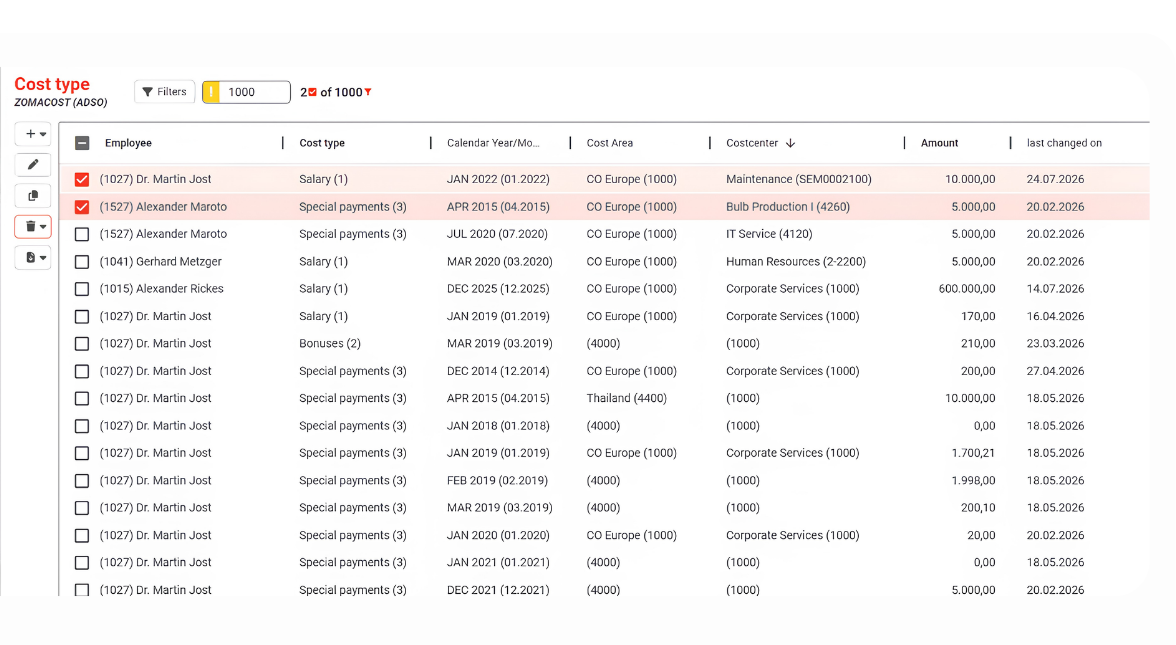
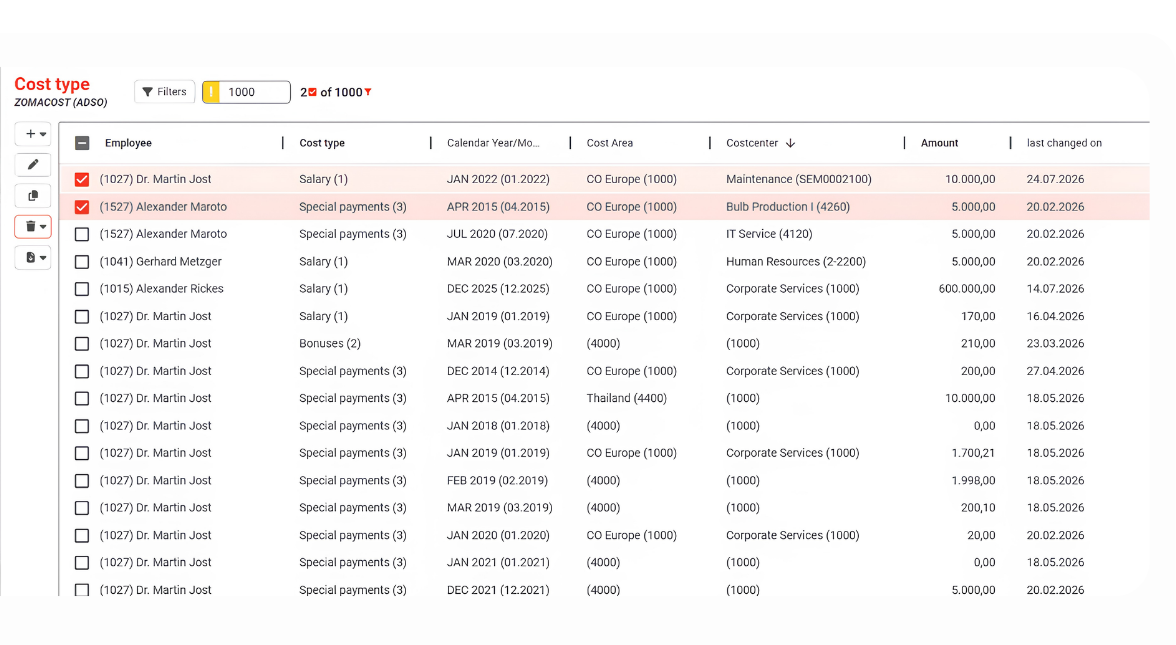
Inline edits, multi-row changes, copy and paste from Excel, and imports that come back with a validation report row by row. Search help resolves the right value against your SAP BW master data, so people pick the correct code instead of guessing it.
Validated, authorized, and auditable
Your controls stay where they are
Every entry is validated before it is written. Access is your SAP analysis authorizations, inherited unchanged, down to the row. Every change is traceable, through the ADSO change log you already have, or locked last-changed fields added by configuration.
Ready for what comes next
The same capability follows you to the cloud
NextTables for SAP BW runs inside the system you rely on today. When you modernize onto SAP Business Data Cloud, NextTables Cloud is there with the same grid, the same validation at entry and the same imports, so the way your teams work carries forward.
Two common SAP BW maintenance workflows
Maintain SAP BW data like a spreadsheet
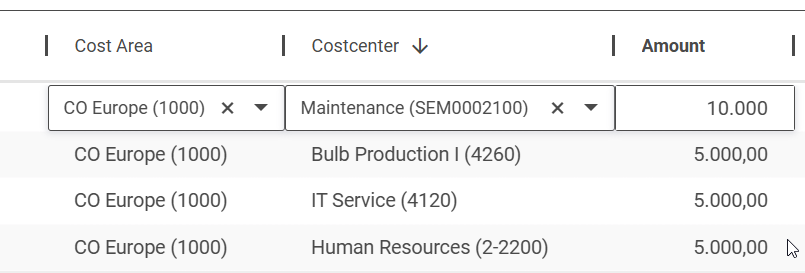
Your team changes a mapping, a classification, a corrected figure right in a familiar grid, one cell or a thousand rows at a time.
Bring in a spreadsheet, checked as it lands
Drop an Excel or CSV file and every row is checked against your rules before anything is written, with fixes offered inline.
Both workflows run in the same grid, alongside everything else it carries.
Everyone signs in with their own SAP user, and sees exactly the apps, tables and rows their SAP authorizations allow. Your data stays inside your SAP BW system; nothing leaves it.
From a business edit to a trusted report, inside SAP the whole way
Business user edits
In the grid, or a bulk import.
Validated at entry
Checked against master data before it writes.
Writes to your ADSO
Straight into SAP BW, on your authorizations.
Live in every report
Your report picks it up on the next refresh.
Live in minutes, extended in ABAP where it counts
Most tables, set up through the wizardExtend with ABAP
The high-value few
Any rule you can write in ABAP
Enterprise
From a required field to a cross-system lookup, your rule runs before the row is written. An error blocks the save; a warning lets it through with a note.
Shape the read, the write and the metadata
Enterprise
Influence how a table reads, writes and describes itself. Start with a small tweak, adjust a read or derive a field, and go as far as a fully virtual table that your own logic composes and writes back.
Custom buttons and process chains
Enterprise
Add your own buttons to the toolbar that run backend functions, and trigger an SAP BW process chain the moment data lands, so the next load starts itself.
Running on SAP S/4HANA? NextTables works there too
NextTables for SAP BW is built and tested for SAP S/4HANA, alongside SAP BW/4HANA and SAP BW on HANA. In an S/4HANA system, business teams maintain custom tables directly, in a validated grid, with access decided by your SAP authorizations.
More on NextTables for SAP BW
Capabilities
Every way your team maintains SAP BW data: the grid, search help, import, collaboration, setup and the pro-code BAdIs.
SAP BW or NextTables Cloud
What is the same, what differs, and which edition fits the system you run today.
Pricing and licenses
Four licenses with published prices, as a purchase or a subscription. Unlimited users on every one.
Frequently asked questions
It stays inside your SAP BW system. NextTables for SAP BW is an add-on in your own system.
Through your existing SAP analysis authorizations, down to the row, plus a thin app-access layer for which apps and tables a role can open.
As far as ABAP goes. Validation runs in a standard BAdI, so any rule your team can express, from a simple required field to a cross-system check, runs before the row is written. Errors are blocking; warnings are recorded and the row still lands. Custom BAdI logic needs an Enterprise license.
Yes. With your own read logic, NextTables composes the grid from wherever the data lives, a join, a calculation, a value from another system, and writes changes back where they belong. If it fits in a grid, your team can maintain it. This uses the standard editor BAdI and needs an Enterprise license.
Checks run at entry against your master data, so a wrong value is caught before it is written. Teams that need custom rules extend behavior with standard ABAP BAdIs.
Through your SAP transport system, the same way your other SAP changes move from development to production.
Yes. NextTables embeds as a web object in any BI tool that supports web objects, the same way the cloud edition does. Pass parameters in the URL and the dashboard filters the embedded table to the record in view.
SAP BW/4HANA, SAP S/4HANA, and SAP BW on HANA.
One license per productive system, and that license covers your connected development, QA and sandbox systems too. There is no limit on the number of users: every authorized SAP user can work in NextTables. Choose an annual subscription or a one-time purchase. The Professional licenses cover the full grid, search help, import, analysis-authorization security, transports and table aliases; the Enterprise licenses add the pro-code BAdIs and the documentation feature. Each family comes in Standard and Unlimited, sized by the number of connected tables. See pricing.
See these on your SAP BW
Book a walkthrough with our team, or start with the deck.