Skip to content

Self-service data maintenance for business teams, in a familiar grid with guided entry

Familiar, guided, ready to use. A spreadsheet-like grid, value help against your master data, forms that adapt as they are filled in, and apps embedded in your BI dashboards.

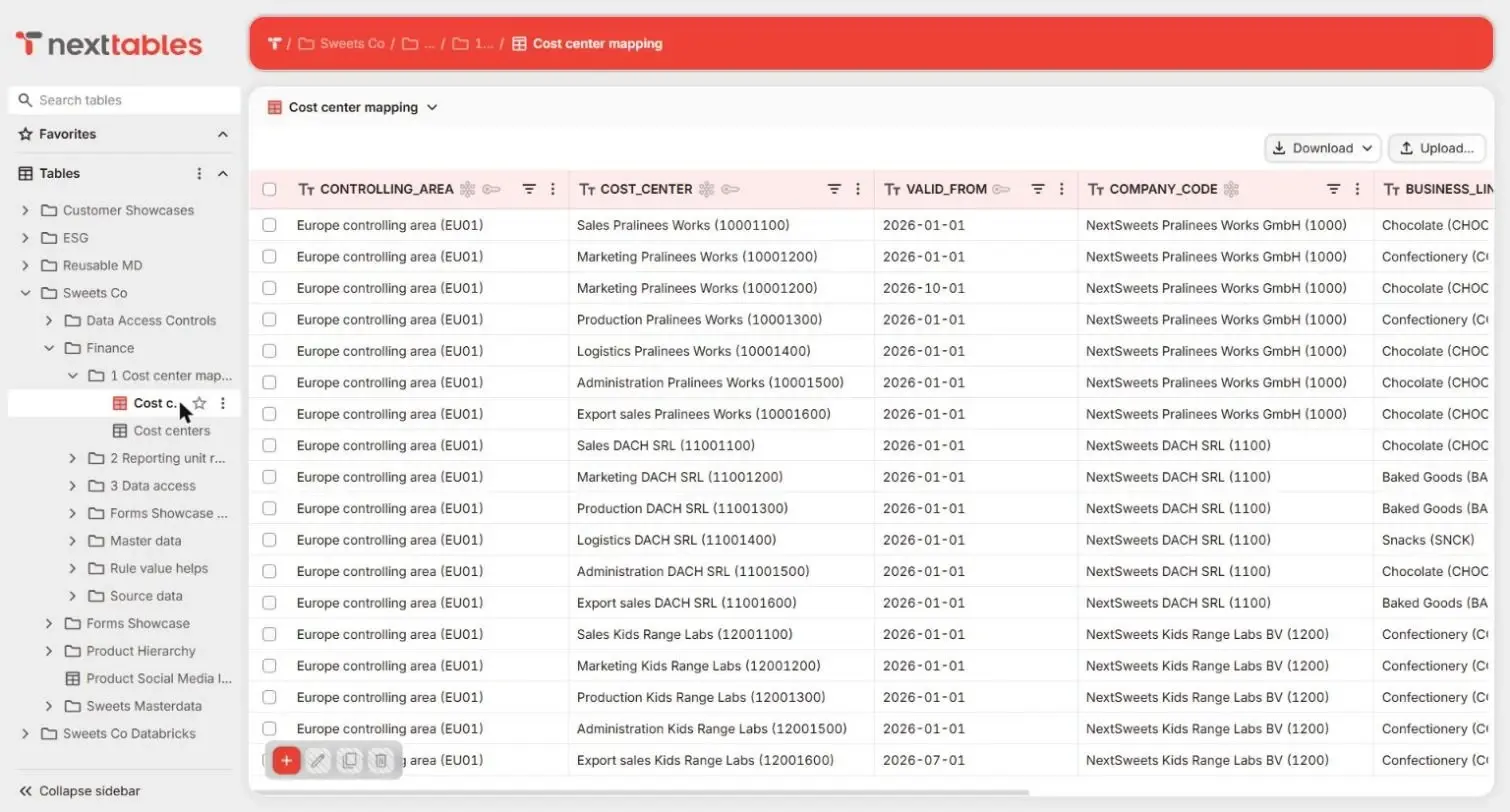
A familiar grid: filter, sort, copy, paste and import

Filtering, sorting, copy and paste, bulk updates and file import, in the terms your business uses for its tables and fields. Productive from the first day, using what they already know; SQL stays with your platform team.

Spreadsheet-like editing, on the platform

Business users edit directly in the table, with keyboard navigation and bulk changes that feel like the spreadsheet they came from. Every edit lands on the enterprise data platform, checked first.

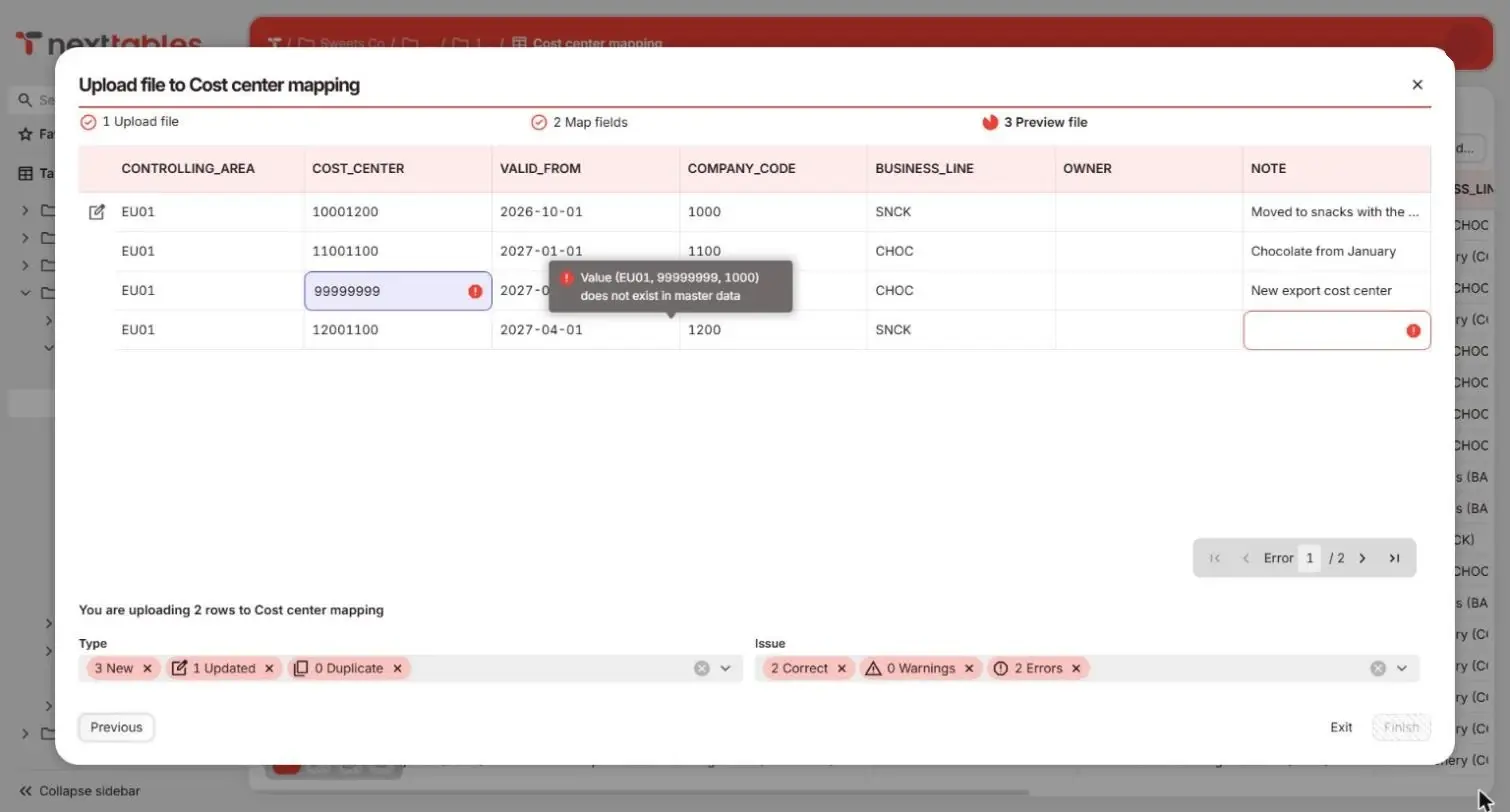
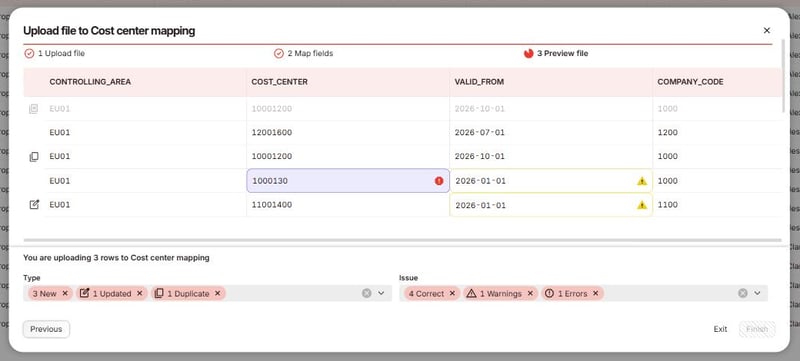
Upload a file to update or overwrite rows: keys match existing records, and duplicates inside the file are flagged before anything is written.

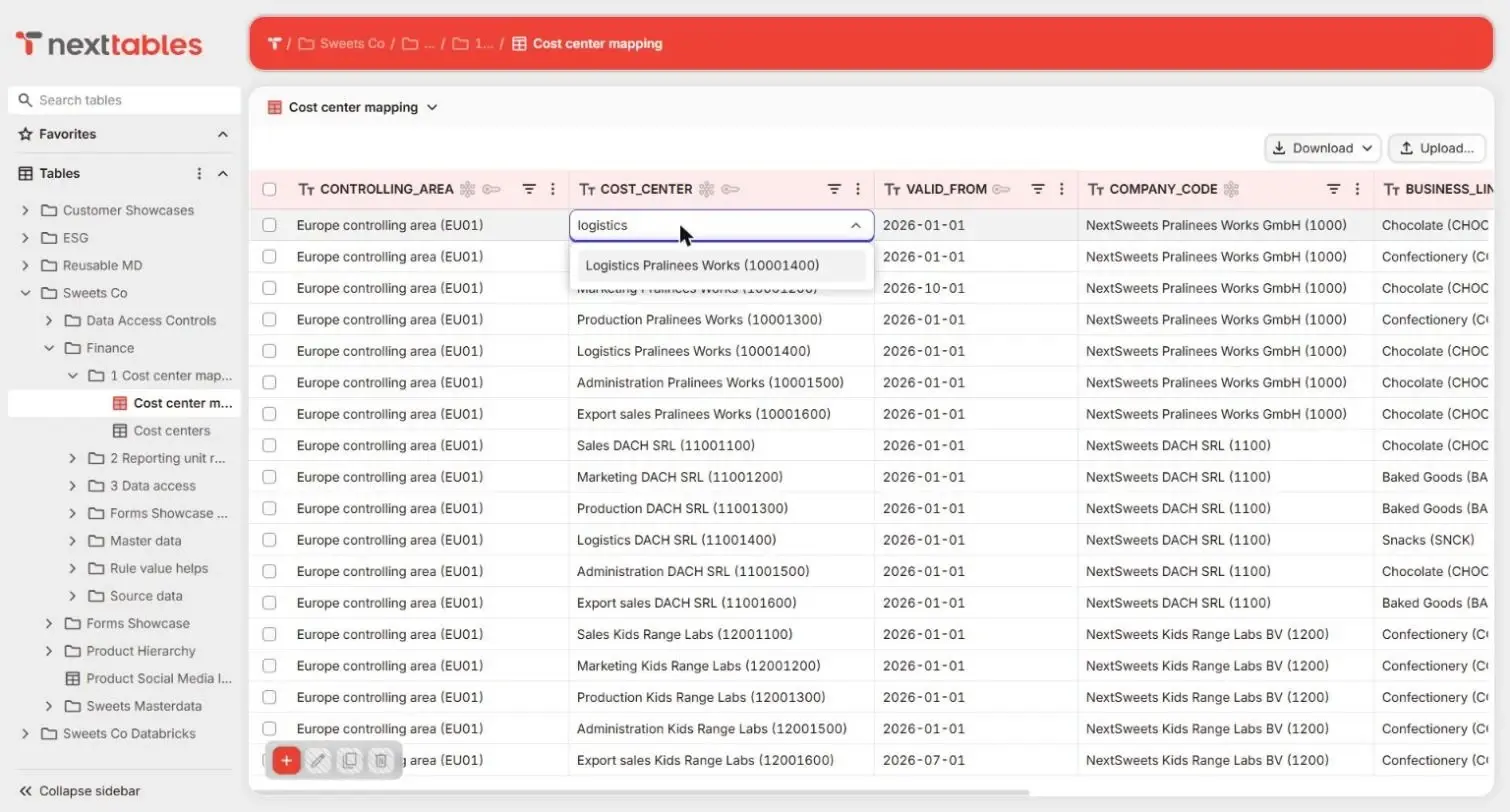
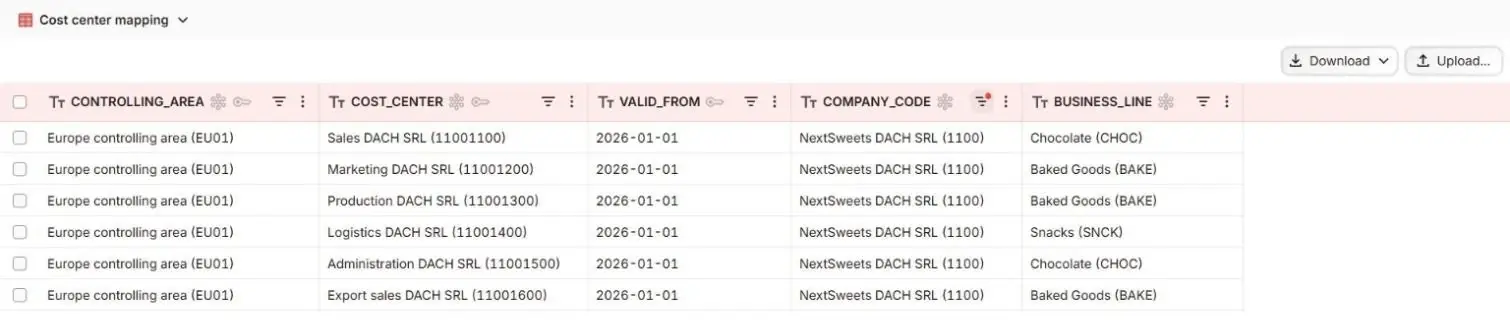
The NextTables grid with a marketing mapping table open

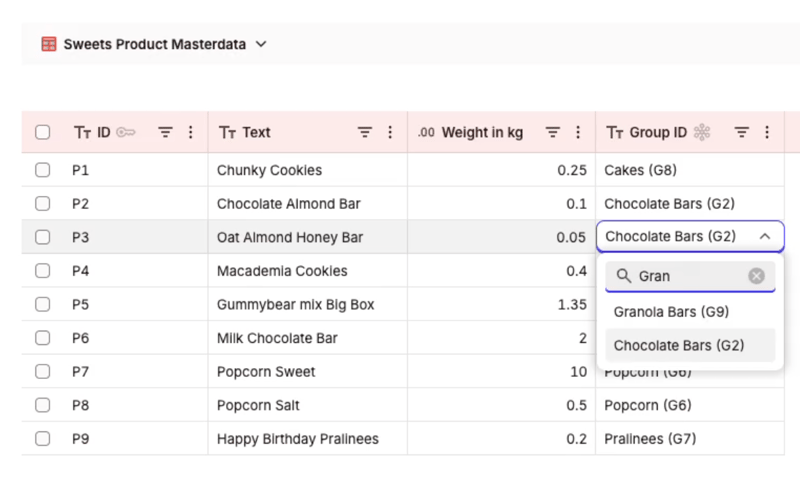
Guided entry with search against your master data

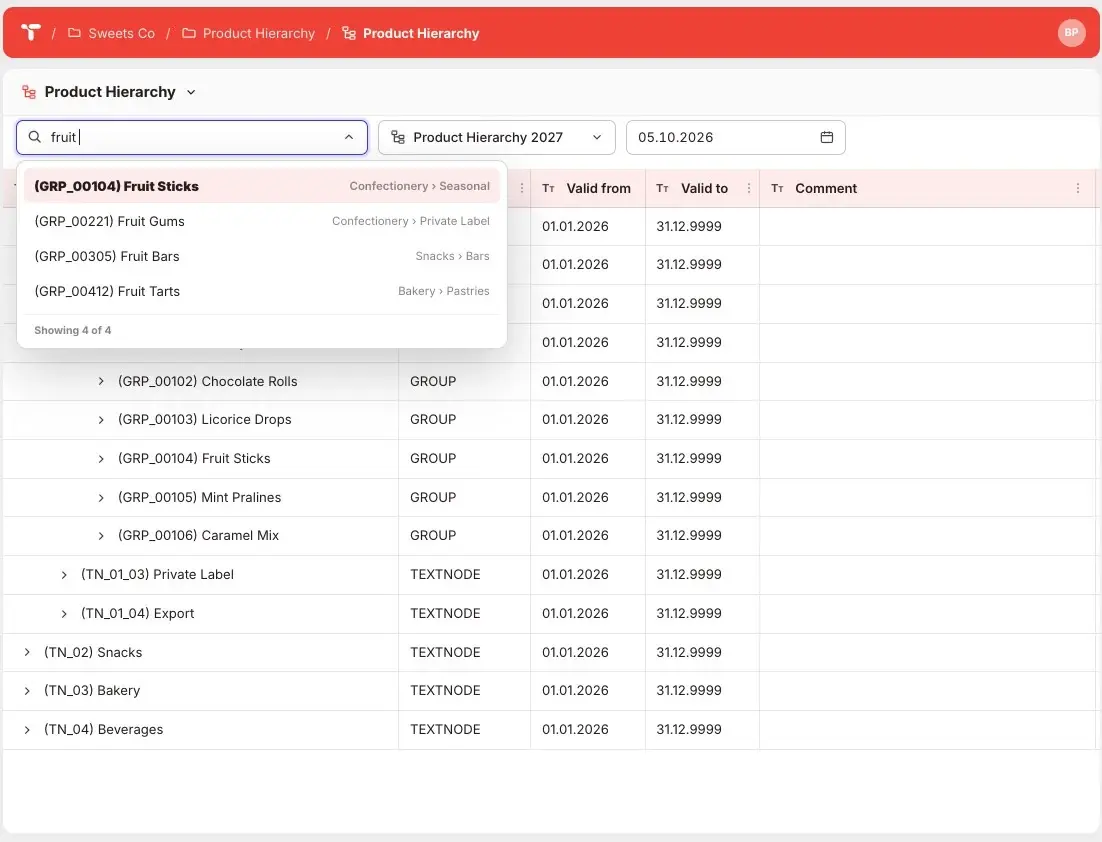
Fields backed by master data offer a text search against the real objects in your platform, read live through the connection. A user finds the company code by typing part of its name, and compounded keys, for example cost center with controlling area, resolve as one selection.

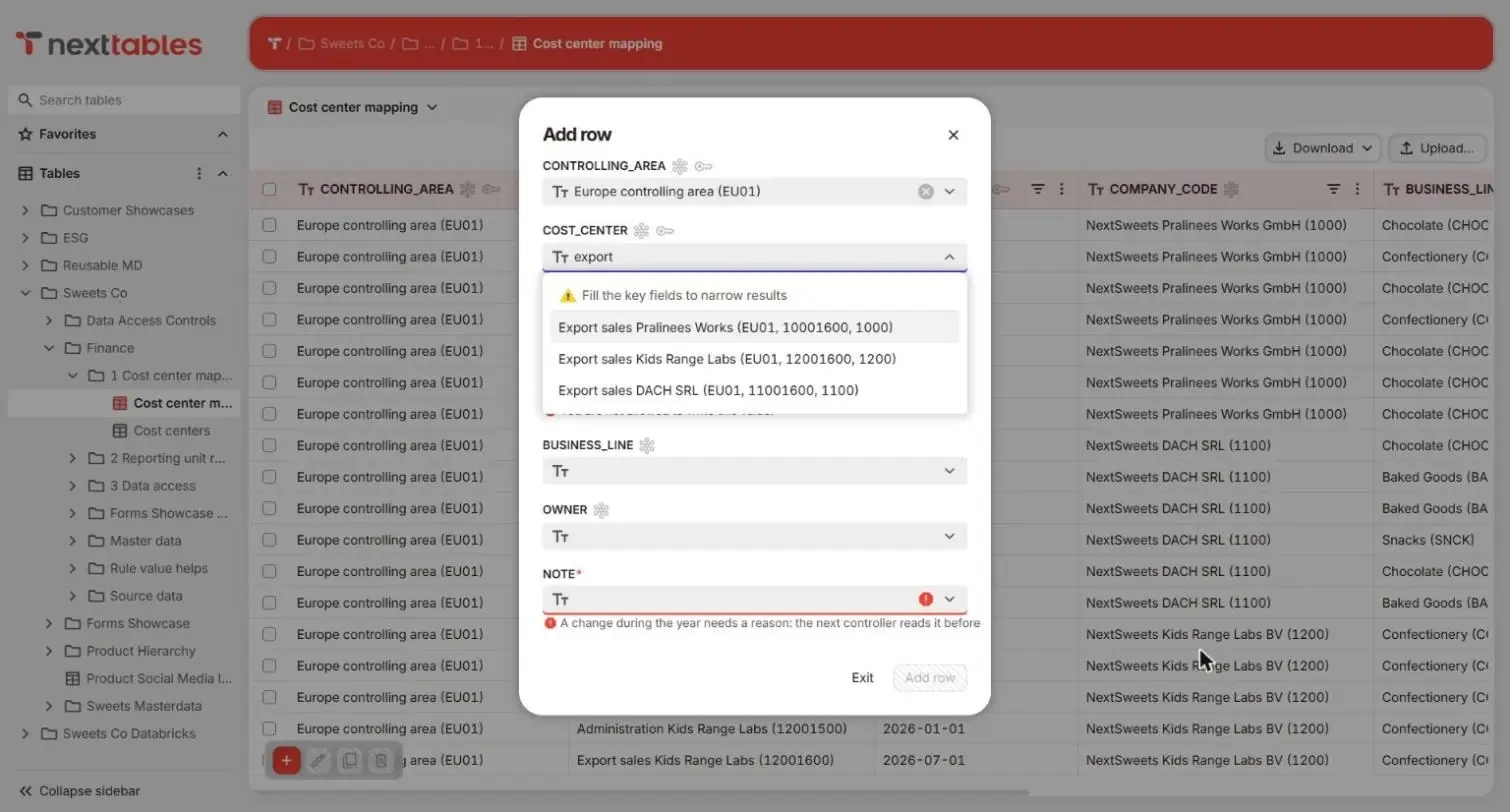
Key and text side by side

People see the key and its text together, so they choose what they mean instead of remembering a number. The list comes from your master data at the moment of entry, live through the connection.

Master data search in NextTables showing keys and texts side by side

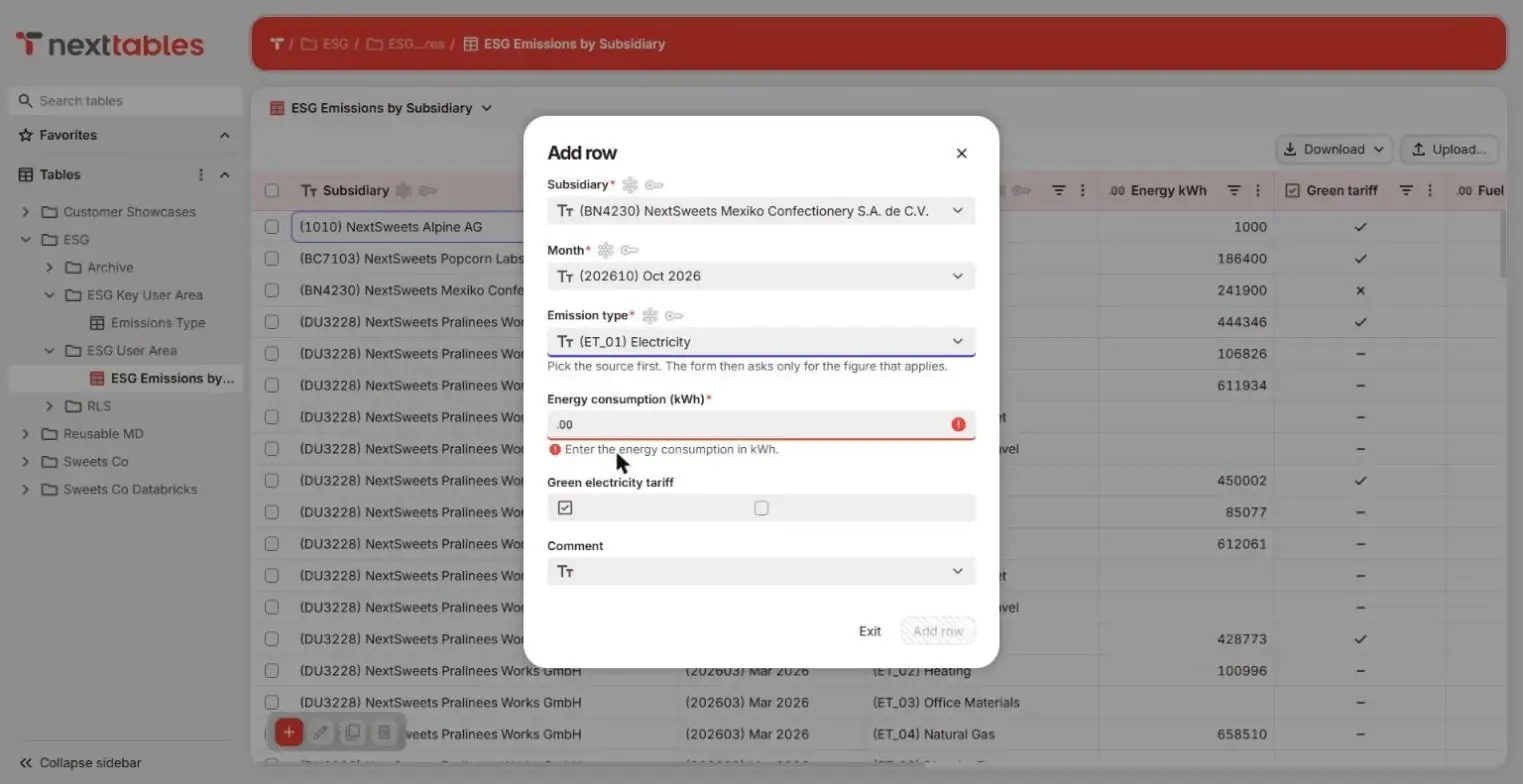
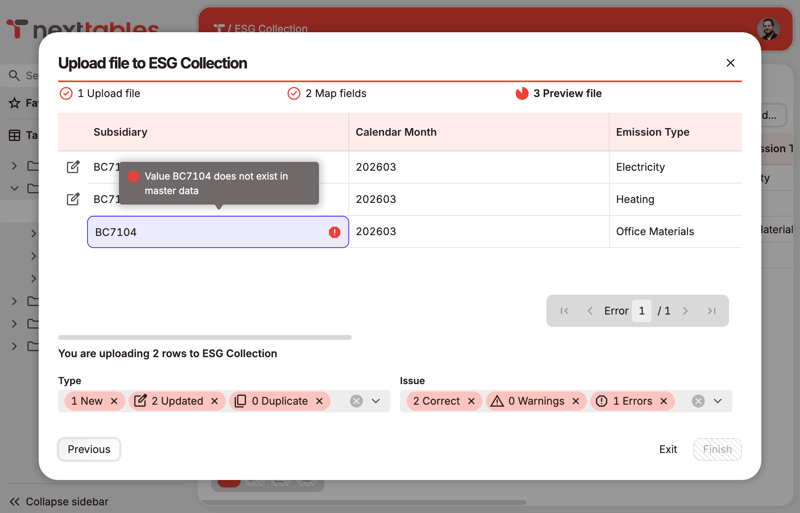
A validation message in the NextTables grid, shown at the field

Validation feedback while the person is still in the field

Validation runs while the person is still in the field, so the message goes to the one who can fix it, at the moment they can fix it. Only validated values reach the platform. How rules are defined and enforced on every channel: Governed.

Intelligent forms with conditional logic and validation

Forms adapt as users fill them in. Fields appear, become required or lock based on conditions, defaults and computed values guide entry step by step, and every rule checks in real time against your master data.

Configured once, enforced everywhere

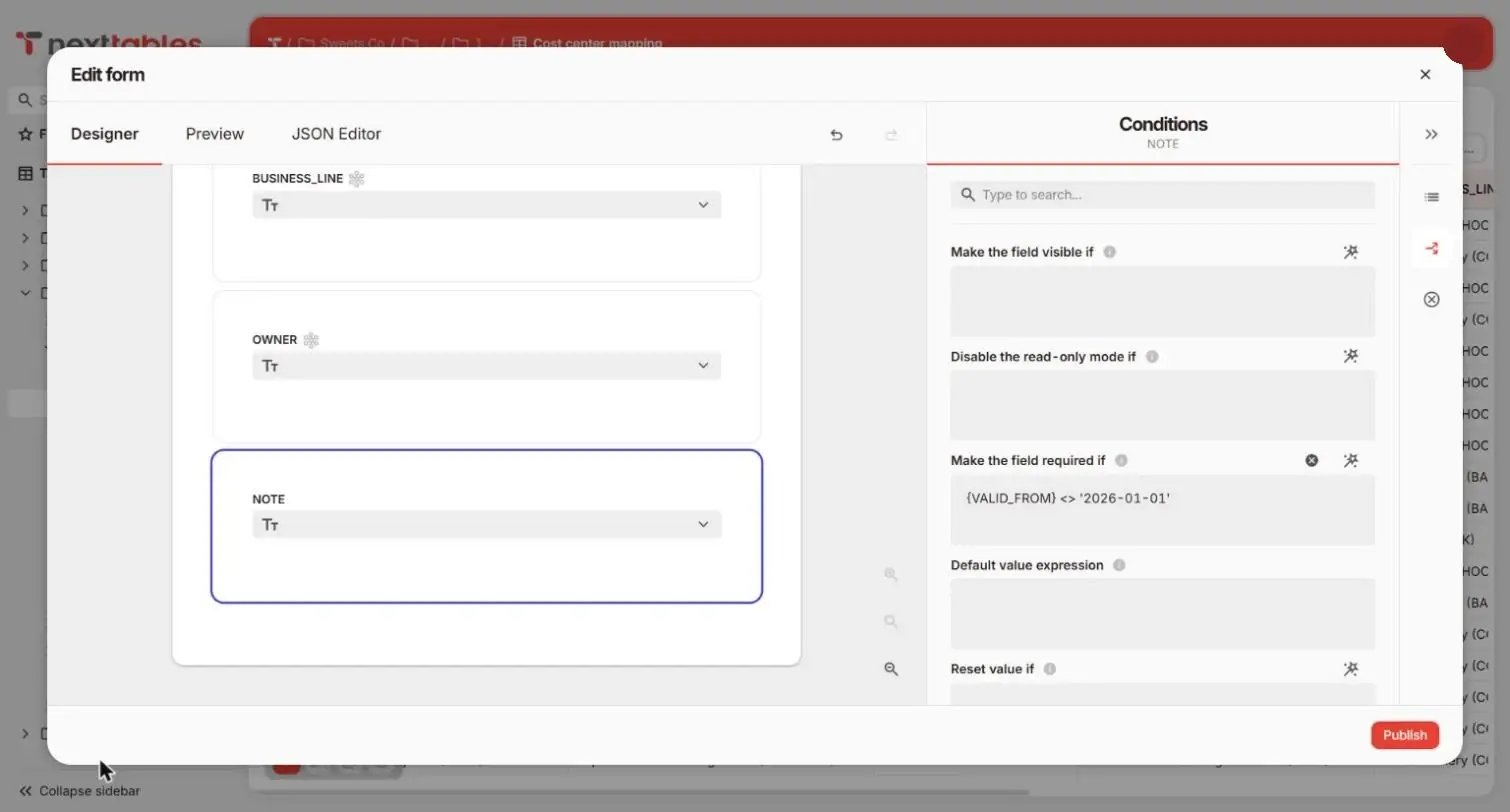
A rule written for the form applies to inline editing, file imports and API writes too, with the same message in each. A built-in expression layer handles calculations, conditions and derived values, so a collection like ESG reporting stays a form instead of becoming a development project.

A booking form where the cost center becomes required once the booking type is internal, with the rule and its message at the field

Embedded in SAP Analytics Cloud, Power BI and Tableau

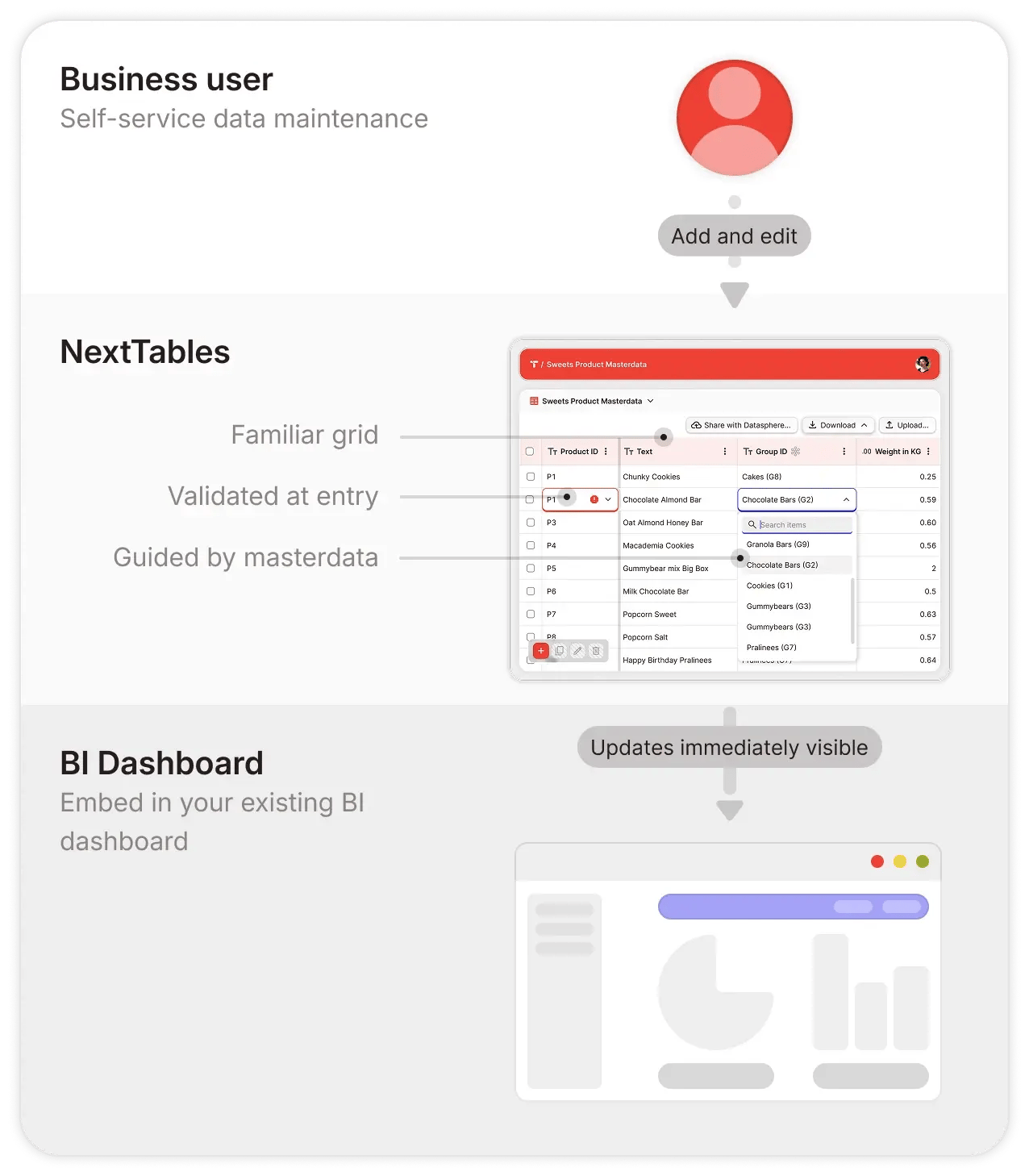
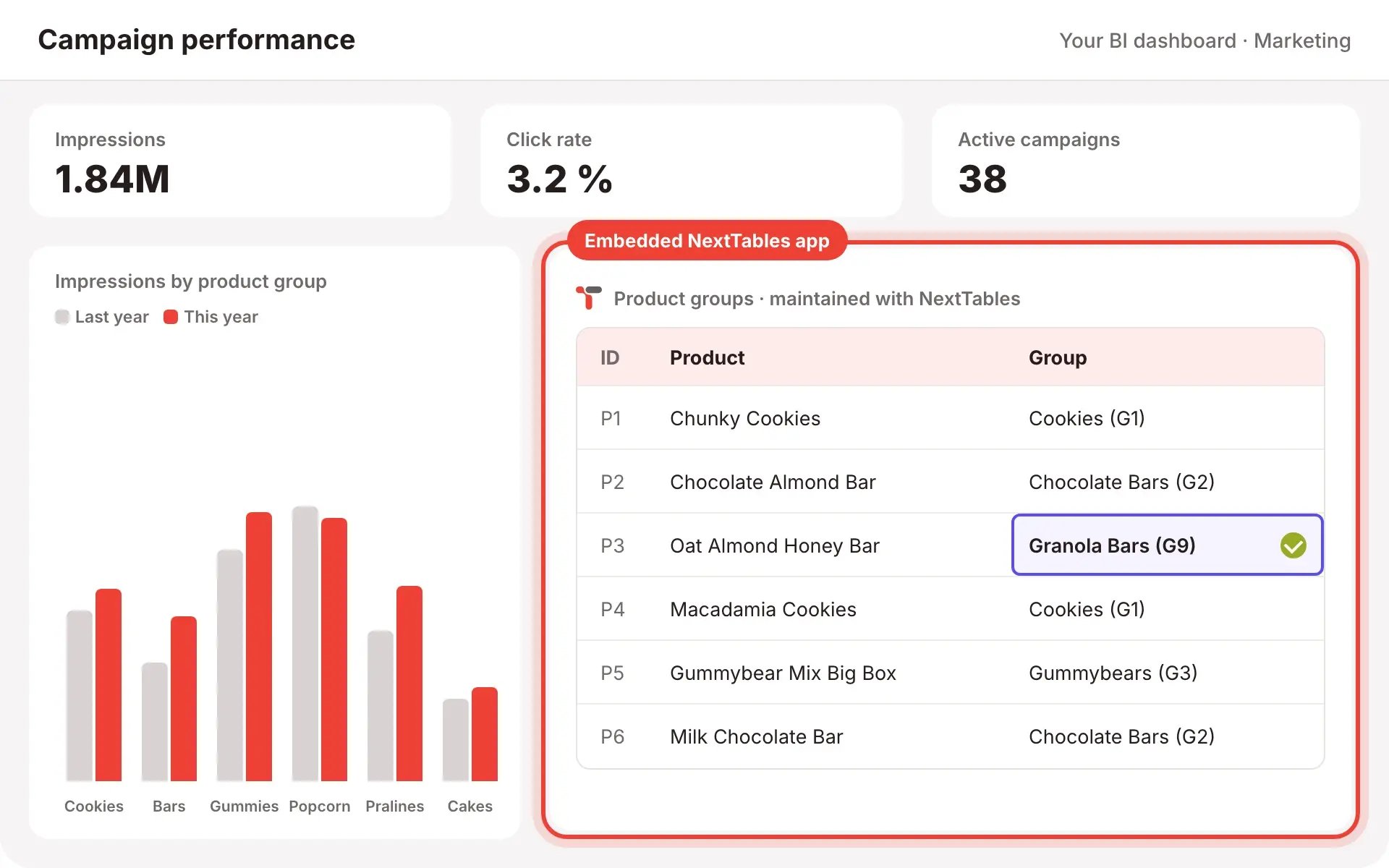
A NextTables application embeds in SAP Analytics Cloud, Power BI, Tableau or any tool that supports web objects, in a dedicated embedded mode that shows the grid alone. The dashboard's context filters the rows, so a finance user looking at one cost center edits that cost center's rows, and only those.

The dashboard's context filters the rows

The same validation, authorization and audit log apply whichever BI tool hosts the app, so the experience stays the same when the BI landscape changes. Embedded mode is available today; a native SAP Analytics Cloud widget is on the way. Coming Soon

Schematic of a BI dashboard with key figures and a chart, and a NextTables app embedded as one tile where a product group is being maintained

One app across platforms

Many organizations run SAP Business Data Cloud alongside Databricks. One data entry app can validate against master data in one platform and write validated, authorized and auditable updates to the other. The business user sees one app.
SAP Business Data Cloud
Databricks
PostgreSQL
Snowflake, on the roadmap
Microsoft Fabric, on the roadmap

Validate here, write there

HR reference data in SAP Business Data Cloud serves as the validation source for classifications written to Databricks. One interface for the team, one set of rules across the boundary.

Native on each platform

SAP Business Data Cloud (Datasphere), Databricks and PostgreSQL are generally available. Snowflake and Microsoft Fabric are on the roadmap. The platform pages carry the architecture: SAP Business Data Cloud, Databricks.

One sign-in, through your identity provider

People sign in through your identity provider. The platform connection runs on one technical user, so maintenance-only users stay outside the platform's user management and licensing.

From data entry to the BI report, built by your own team

A team with its own workspace on the platform creates the table, maintains it and sees it in its own reporting the same day. Setup is configuration rather than development, in business terms.

Create the table

A key user defines fields, types and which master data backs them. The table is created on the platform, in the schema your administrator scoped.

Maintain it in the grid or a form

Editors work in the grid, in the form or by upload. Validation and value help come with the field definitions, so each rule is built once.

See it in the report

The maintained table is available to your models and dashboards at once. The full cycle stays with the people who own the process.

Frequently asked questions

1. Do business users need training?

The grid works like the spreadsheet they know: filtering, sorting, copy and paste, bulk updates, file import. Value help and validation guide the entry itself. Most teams are productive on the first day.

2. Which BI tools can host a NextTables app?

SAP Analytics Cloud, Power BI, Tableau, and any tool that supports web objects. The embedded mode shows the grid alone, and the dashboard's context filters the rows.

3. Can our teams keep working in Excel?

Yes. Excel stays an input: edit offline, upload through NextTables, and every row is validated before it is written. Keys match existing records and duplicates are flagged.

4. Do business users need an account on the data platform?

They sign in to NextTables through your identity provider. The platform connection runs on one technical user, so maintenance-only users stay outside platform user management.

5. Who builds the apps?

Key users in the business team, in configuration rather than code: fields, master data, rules, roles. Where a rule needs logic, the built-in expression layer carries it.

6. How is NextTables licensed?

As a subscription for NextTables Cloud, sized by users and tables. The details are on the pricing page.

See it with your own tables

Half an hour on your data, in your BI tool. Or take the deck to the team first.