

Data entry forms, live on SAP Datasphere
Recorded September 30, 2026 | 35 minutes
Live editions run monthly: see the upcoming sessions.
Every business team has rules for its data: a cost center is required when a booking is internal, electricity is reported in kilowatt hours and business travel in kilometers, a forecast above a threshold needs a comment. Today those rules live in an email, in a note on the Excel template, and in the heads of three colleagues. The files come back in twenty versions, and the check happens after the load, if at all.
The recording shows how it works differently:
- Business teams design the entry form themselves: fields, conditions, and validations, published in minutes.
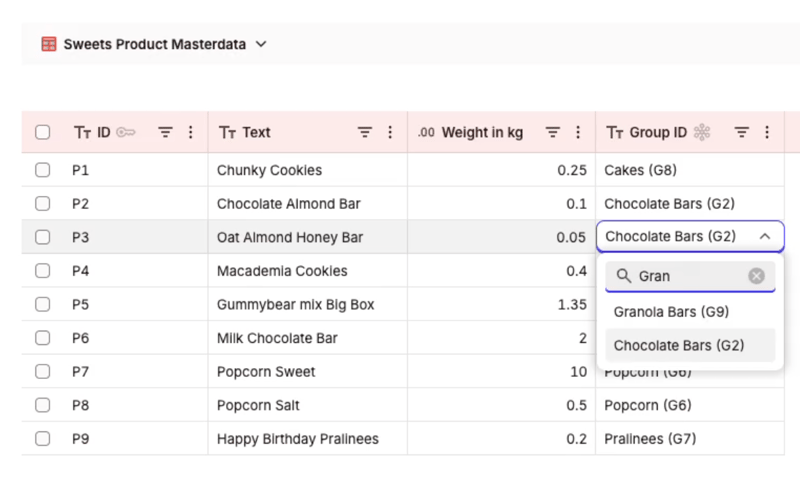
- Fields appear when they matter, values come from master data, and every entry is checked at entry, with your own message.
- The same rules apply in the form, in the table, on Excel upload, and through the API, directly on SAP Datasphere.
- Recorded live, including the questions the audience brought.
Who this is for:
Owners of data and analytics platforms, IT architects, governance and security leads, business data owners, and the consultants and partners who keep running into the same data collection problem and are looking for a structural answer.
Watch the replay
The recording runs 35 minutes, captured live on September 30, 2026. Register and your replay link lands in your inbox.
Three real scenarios, built live on a SAP Datasphere tenant
Each form is designed by the business team in the form editor: fields, conditions, and validations. Every entry is validated, authorized, and auditable, and the data stays in SAP Datasphere throughout.
ESG, across subsidiaries
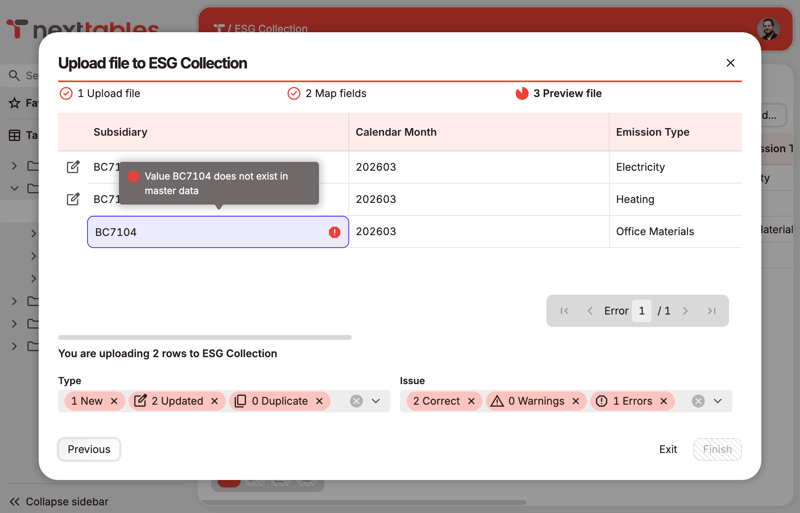
One form for every subsidiary. The emission type comes from the master data list and decides what is asked: kilowatt hours for electricity, kilometers and travel mode for business travel, spend in euros for office supplies. Each figure is range-checked before it lands.
Purchase bookings in Finance
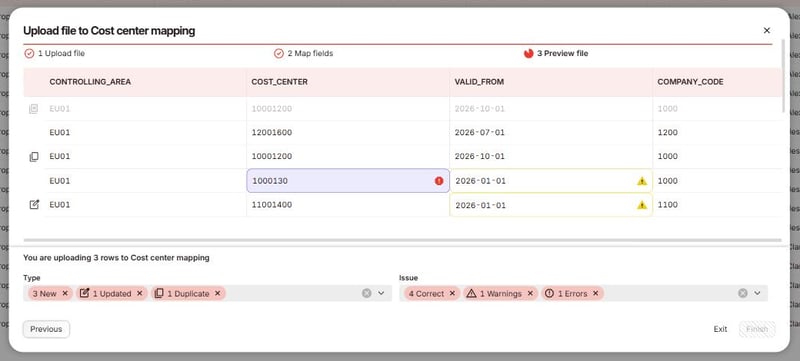
One rule, written once: the cost center becomes required when a booking is internal, and the vendor field locks. The same rule answers in the form, in the table, and on the Excel upload.
Forecast entry in Controlling
Cost center and version from the master data, amounts as numbers in a plausible range, a comment required once a forecast exceeds the threshold, and the row locks the moment its status is Submitted. Published by the team, live right away.
Speakers

Sebastian Uhlig
Founder & CEO, NextTables
15-plus years designing enterprise data architectures across SAP-centric and modern cloud data environments.

Bernhard Porth
Product Manager, NextTables
Product leader with deep enterprise data platform experience, focused on making validated, authorized, auditable data maintenance something business teams actually want to use.
Frequently asked questions
Our webinar platform, Contrast, emails you a personal replay link, so you can watch the recording whenever it suits you.
The recording runs 35 minutes and includes the questions the live audience brought.
Yes. The form editor with conditions and validations is live in NextTables, and the rules it defines apply on every write channel: the form, the table, Excel upload, and the API.
NextTables is the business-first hub where business teams and their AI assistants maintain the data they own: validated, authorized, and auditable, directly on your enterprise data and analytics platforms.
All upcoming dates are on our webinar overview.